
Tech
21 Best IOS 14 Widgets for iPhone
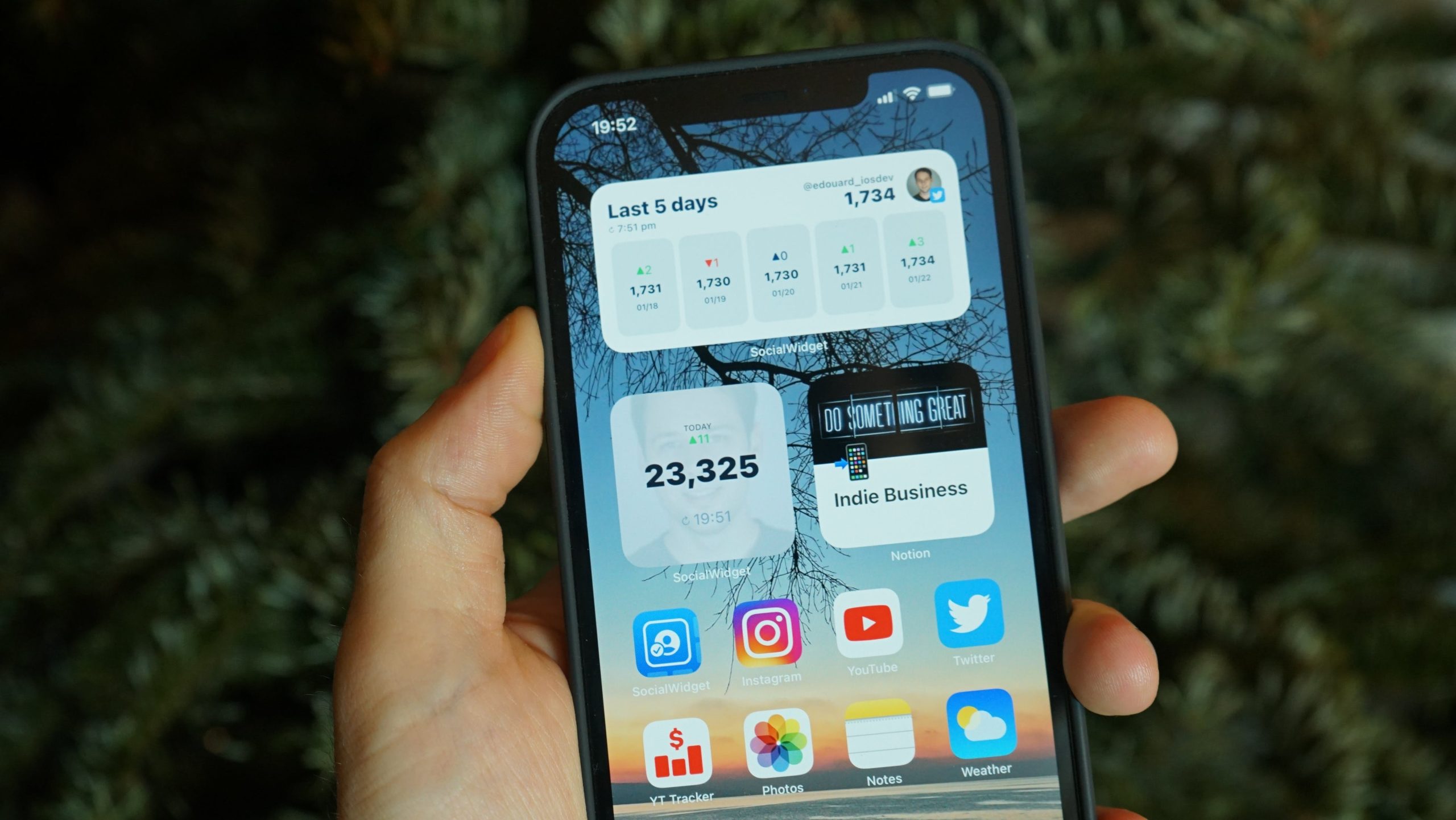
You’re probably aware that iOS 14 now allows you to add widgets to your home screen if you have an iPhone. It’s by far the most popular new feature, and users have come up with some very inventive ways to personalize their iPhones with various widgets. Although Android has had this capability for some time, it’s a fantastic productivity feature. Widgets are now available in many of the iPhone’s best productivity apps.
Additionally, they allow you to fully customize your Home Screen template and add many valuable features.
1. Color Widgets
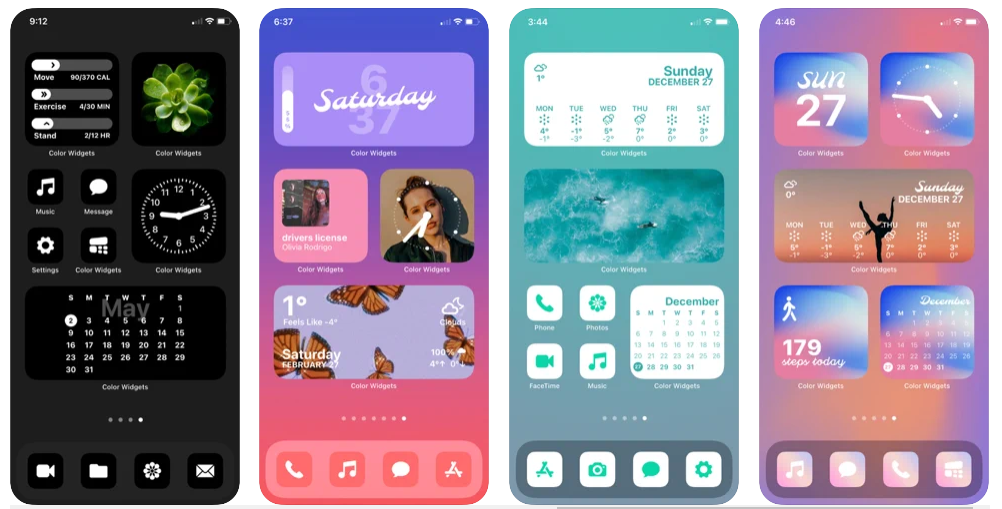
Color Widgets is one of the best iOS 14 widgets application for home screen. There are over 100 great iPhone widgets to choose.
You can also tweak the widget before adding it to your home screen. You can modify the typefaces, widget design, and background photo, among other things.
Color Widgets also contains free icon sets that will enhance the visual attractiveness of your iPhone’s home screen.
A premium plan is also available, including all premium widgets, icons, and hundreds of designs. Color Widgets is a fantastic iPhone widget software that you should try.
2. Widgetsmith
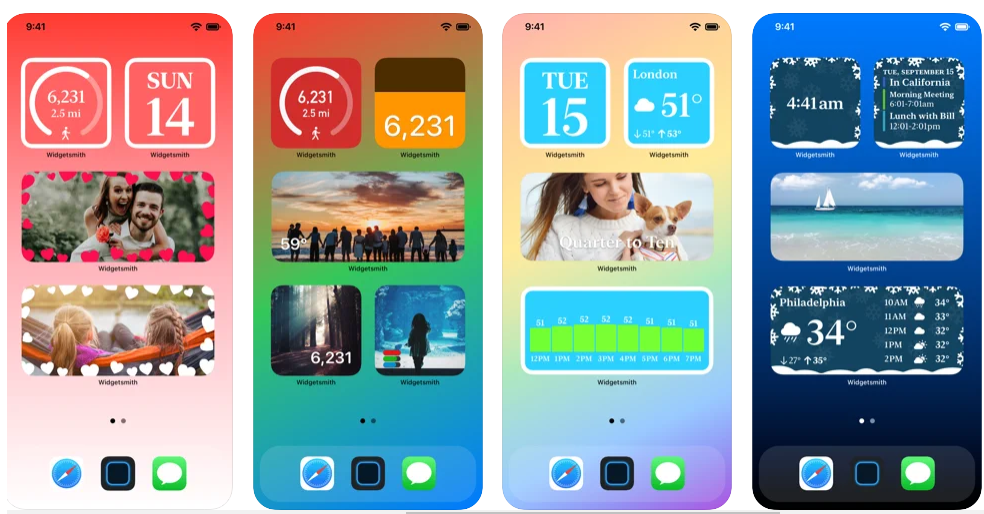
In addition to being one of the most popular apps in the iOS 14 widget-frenzy, Widgetsmith allows you to design custom widgets that can display things like the current date and time, the weather, images, custom text, or your activities. You can also opt to show the tide or moon phases. Widgetsmith will let you do pretty much everything you want to make your Home Screen stand out.
3. Sticky Widgets
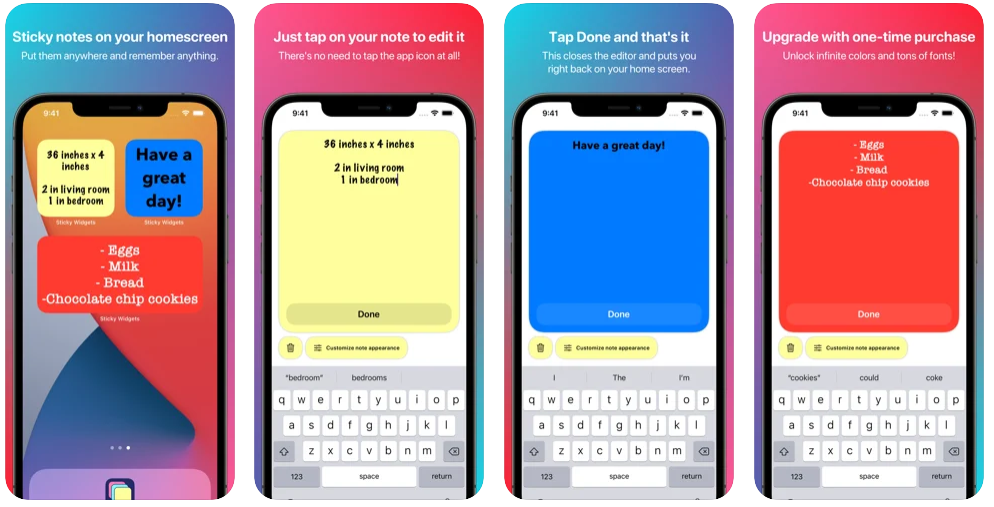
If you forget most things and focus on a note-keeping app to keep records of everything important, Sticky Widgets app will be extremely useful. Nothing more complicated than adding this widget to the home screen and entering the text. All of your most important notes are now at your fingertips, and you can edit them when you want.
4. Apple Music
If you primarily listen to music through Apple Music, you should probably add this widget to the home screen. It’s not a significant problem since you can see playback controls in the Control Center and on the lock screen.
You might also like: How to Use Find My iPhone
You get to see what’s currently playing instead of controls, as well as some intelligent recommendations for what to listen on to the next. By touching on the widget, you can access the app.
5. Spark Mail
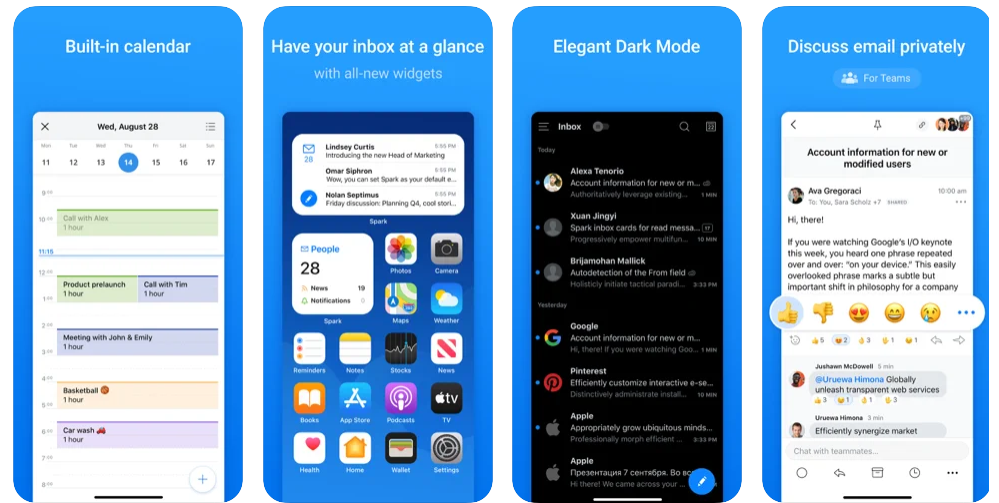
The Spark inbox widget is by far the best-designed method to see all of your unread messages at a glance. When it comes to widgets, the way widgets feel and look is significant. Spark has a winner in this situation. The widget will display the number of unread messages, a preview of the first few, and a compose button to open the app and transport you to a new widget.
The Spark calendar widget is also fantastic. Spark would be my next option if I weren’t using supernatural as my primary Calendar.
6. Spotify
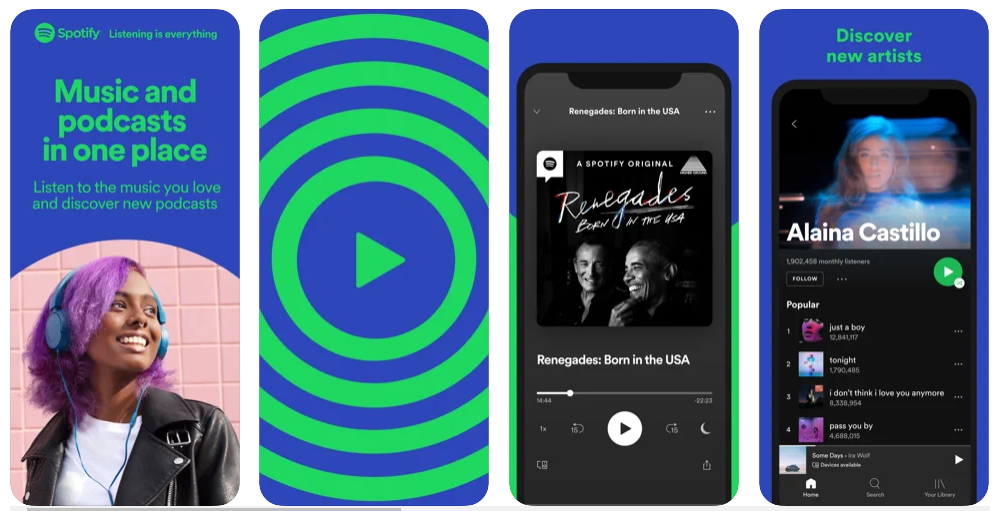
Spotify, the Swedish music streaming giant with over 365 million active users, is one of the best music streaming apps available. As a result, it’s essential to note Spotify’s newly released home screen widget for IOS.
7. Battery Widget & Color Widgets
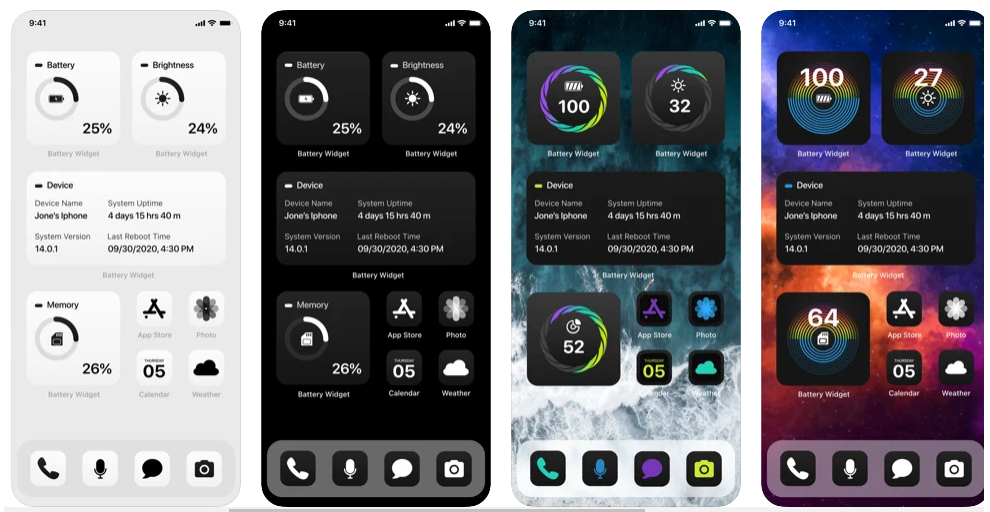
For a long time, I’ve been a devoted user of this widget. Its widget allows you to keep track of your phone’s usage, including battery life, brightness levels, memory, and other details. The app includes a variety of colors to choose from to enhance the visual appeal of this information.
You might also like: How to Transfer WhatsApp Messages from Android to iPhone using Google Drive
Download the app and customize the widget after it’s installed. You may choose from various sizes and colors; I prefer the medium one because it leaves enough room on the home screen for other iOS widgets.
After that, choose hues that aren’t too cheesy or out there. I like to select the brightest color, so I don’t forget to charge my iPhone or clear some space.
8. Google News
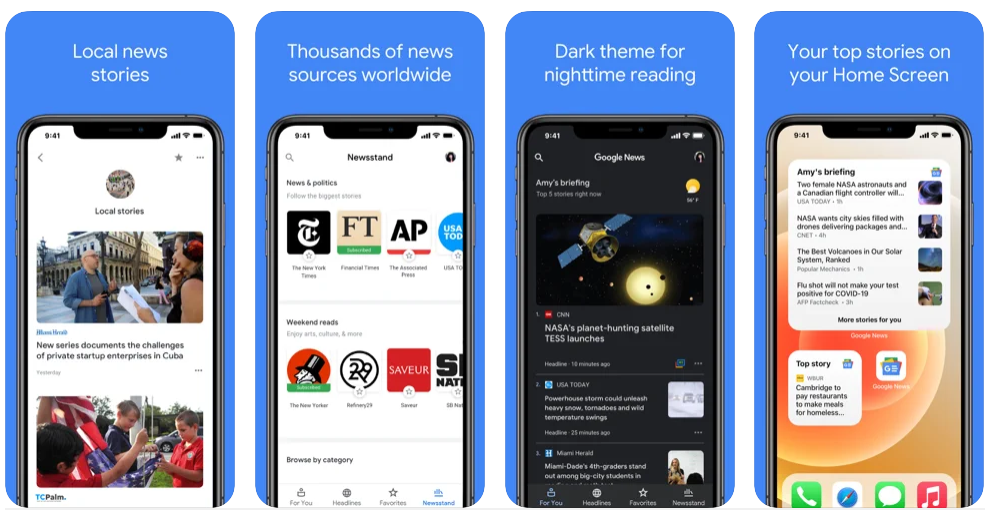
If you need to stay up with what’s going on in the world, install the Google News Widget. With this widget, you can always remain up to date and access new news stories on various themes, such as politics, science, entertainment, and sports.
The widget is also renewed every minute, ensuring that you always have the most up-to-date information at your fingertips. Overall, Google News is a top widget app for iOS 14 for staying up to date with the latest news headlines and events.
9. HabitMinder
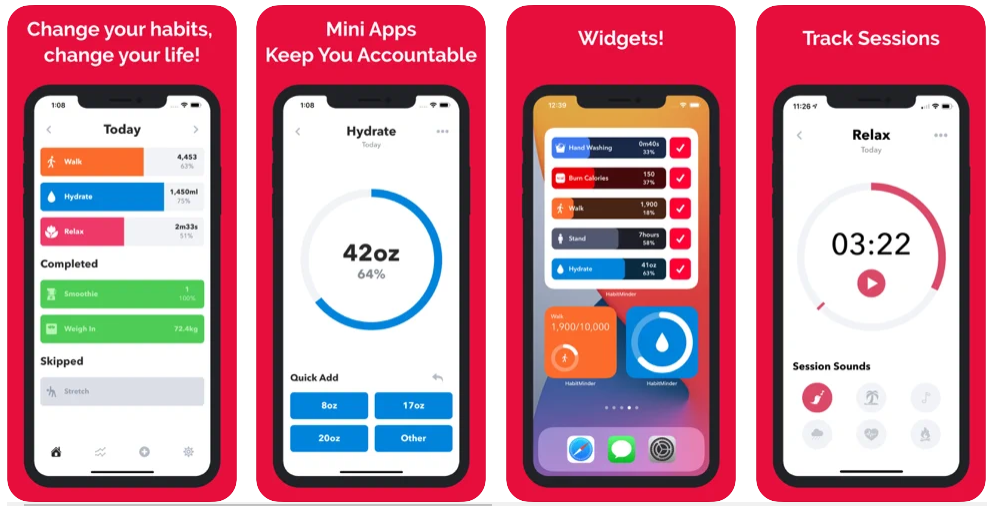
An intelligent person once said it is vital to distinguish between busy and sustainable and thin and fit. Habit Minder is the first step. The app has mini-apps, session panels, 50 pre-defined healthy habits, and event notifications to stay healthy and happy.
To help you focus on your routines, the app now offers seven widgets in various sizes throughout light and dark themes. However, while the free membership is more than sufficient, the in-app purchases are also a pleasant surprise.
10. Stocks
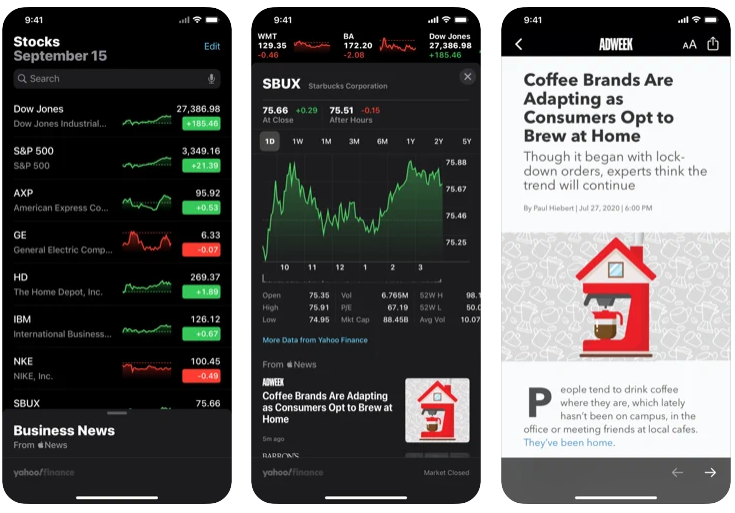
Stocks is one of the best iOS 14 widgets if you’re a stockbroker or trader who wants to keep an eye on the market. Because Apple created the app, it will run smoothly on iOS 14. And, like most other widgets, this one comes in various sizes, so you can pick the one that best suits your needs.
11. Screen Time
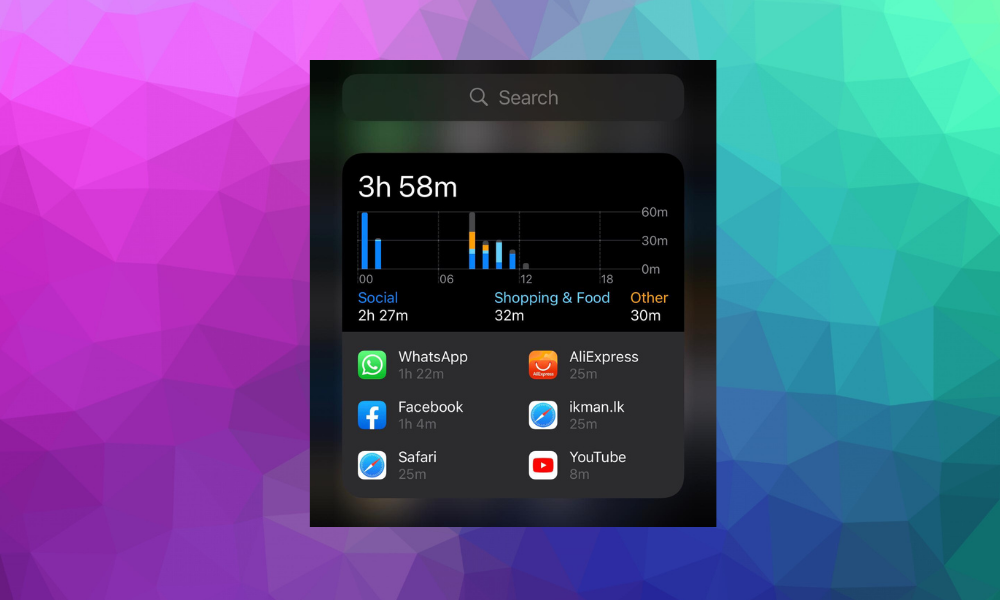
It would be great if there were a way for you to keep track of your iPhone’s Screen Time statistics more quickly and without having to go into the Settings app. If you answered yes, then the Screen Time widget is perfect for you.
When you use the Screen Time widget, you can track how much time you spend on your device. The built-in widget does an excellent job of displaying device utilization data. Moreover, it is available in various sizes, so you may choose the one that best suits your needs.
12. Carrot Weather
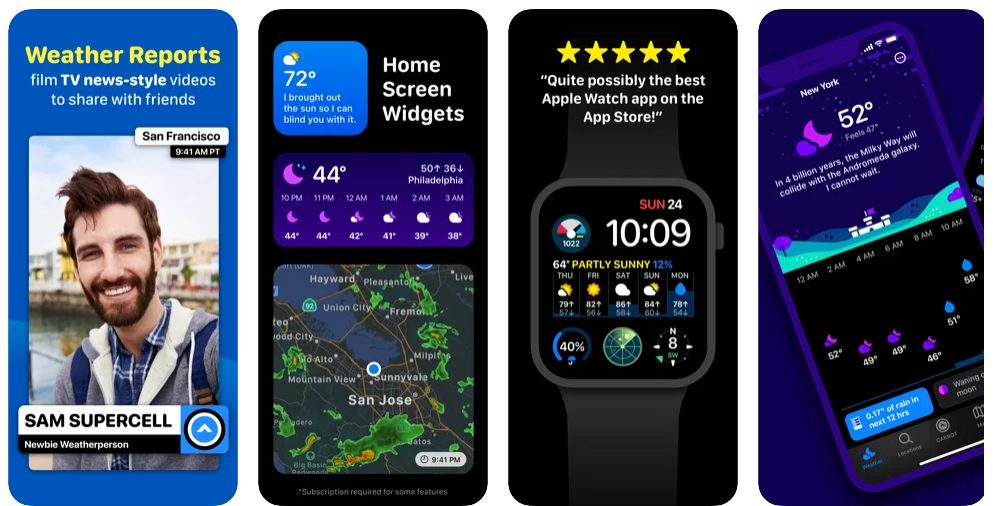
Dark Sky had been my favorite weather application, but Apple bought it, and there’s no widget anymore. For those who prefer weather forecasts with just a little personality, Carrot Weather is a good choice. In addition, you may choose which information appears in the widget. Depending on your subscription level, you may be able to have the widget show you a current weather map.
13. Google Photos
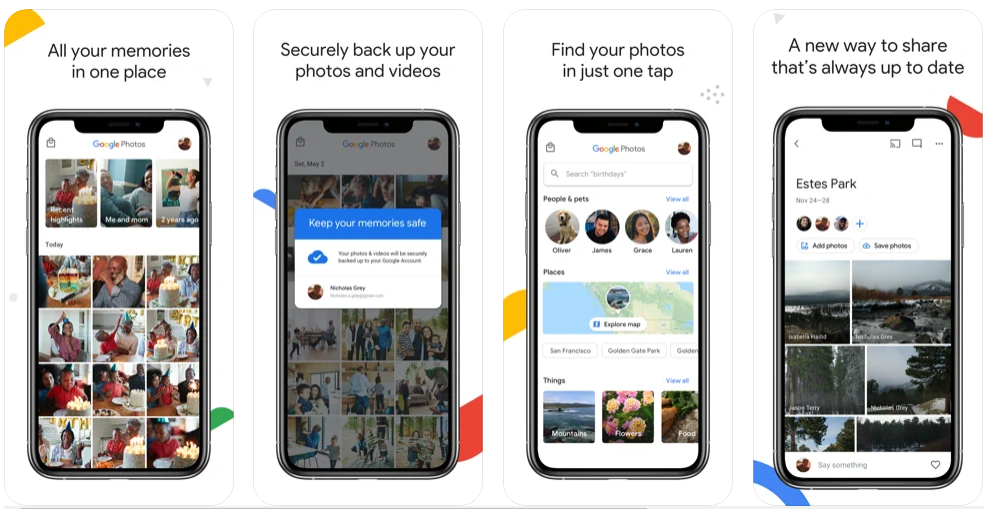
Google Photos is the most popular photo and video hosting platform among all the media, despite the presence of Apple Photos. The addition of ‘Your memories’ to the iOS 14 home screen widgets by Google Photos is interesting.
A quick glimpse at recent highlights and noteworthy moments is possible with the Memories widgets. Notice that each widget reveals the moment when a single photo was taken, allowing you to journey back in time in a pleasant way.
It’s easy to get your hands on Google Photos’ fantastic “Your memories” widget by holding down the “+” button and selecting Google Photos. Choose your favorite size and click on the Add Widget button to complete the process.
14. Calendar
Another App on this list is the Calendar, which comes with three attractive iPhone widgets. The Calendar widget has a clean and modern look. And, thanks to these widgets, the dates and times of all of your essential appointments and events will be presented right on our home screen. The app is also 100% free, with no advertisements or in-app purchases.
15. Flipboard
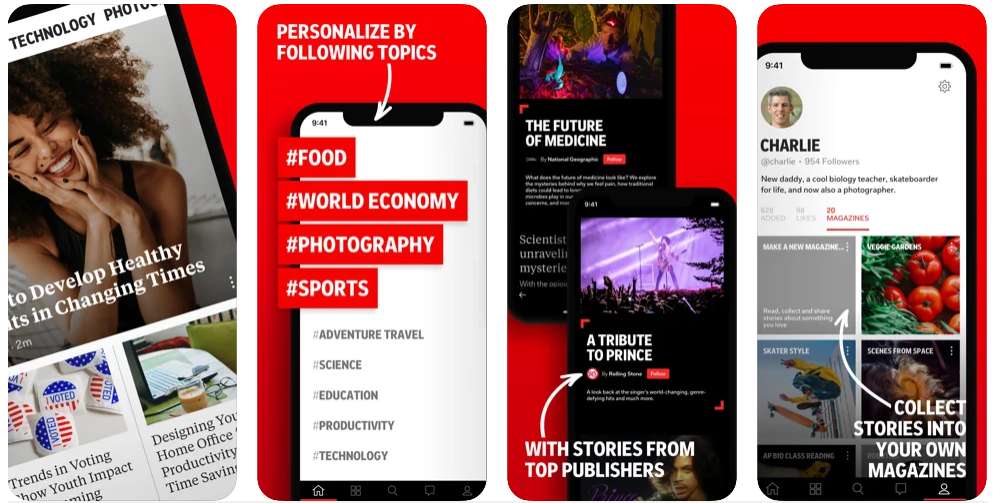
Flipboard is among the most famous iOS apps for understandably browsing the newest news, and chances are you’ve used it before. On the other hand, Flipboard recently released an upgrade for iOS 14, which allows you to turn it into a widget that integrates seamlessly with your home screen.
16. Documents
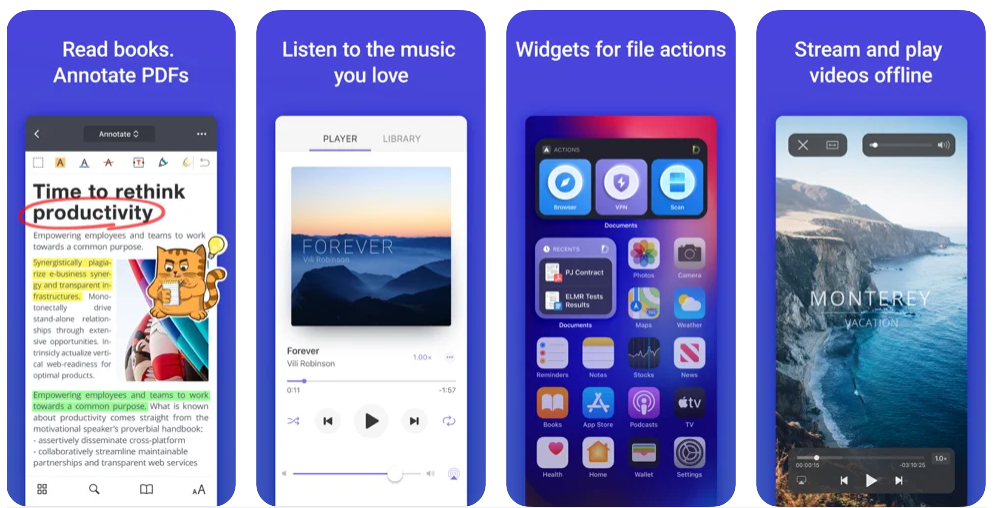
Since they’re working on many projects simultaneously, are you someone who requires a billion documents in one spot? Then one of the most excellent third-party iPhone widgets for you is Documents. This widget enables you to access practically
anything, including music, documents, photographs, videos, and books, with a single click.
The app’s usefulness has been enhanced thanks to the picture-in-picture mode. Play around with your selections and keep your home screen tidy by using multiple widgets for Music, Actions & Recent.
17. Pedometer++
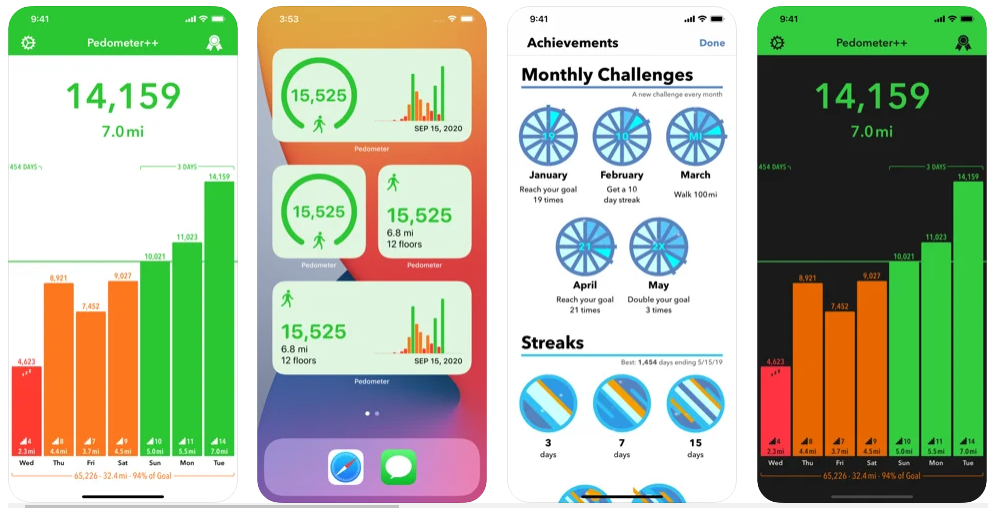
Pedometer is a very well known iPhone step counter app. Pedometer++ makes it simple to keep records of daily and weekly steps without draining your battery. Each day, you may check your progress using the iPhone app, the iOS 14 widget, or the Apple Watch app.
You may count the number of stairs you climbed, footsteps and distance you walked throughout the day, and see a nice hourly chart with today’s date, among other widgets.
18. IMDb
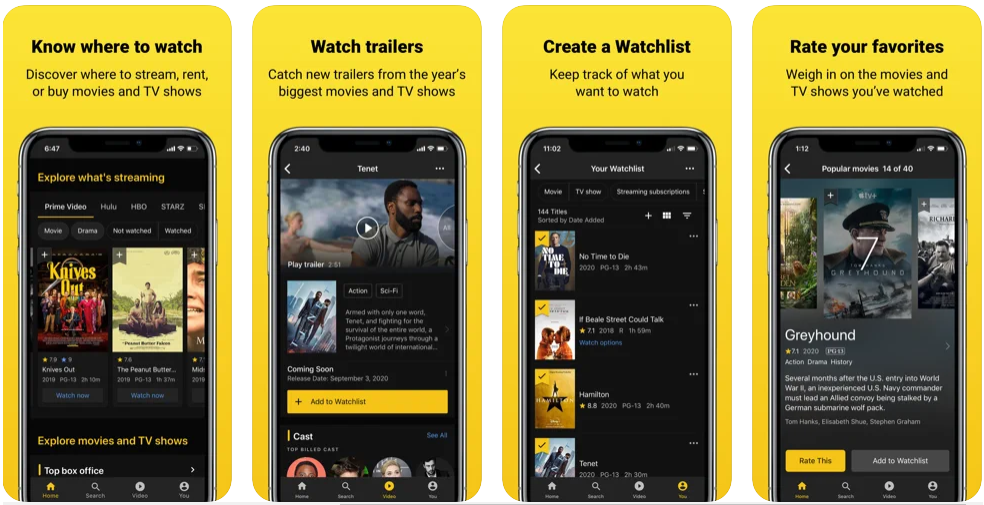
You can use IMDB widgets to track when the latest Fast & Furious trailer will be released or how much Tenet has made at the box office even during the COVID-19 era.
IMDB can also be used to keep track of popular films. I like the variety of widgets that IMDB provides to its customers.
19. Motivation – Daily Quotes
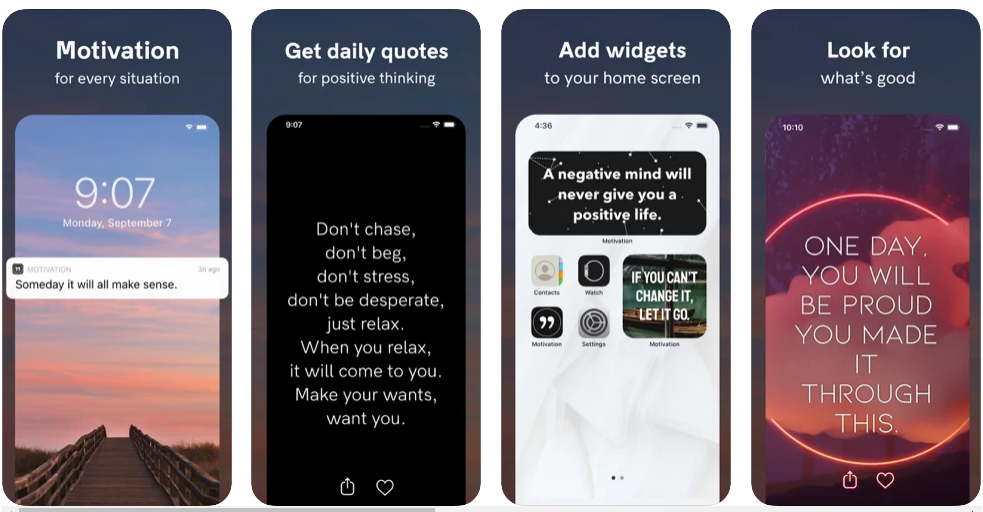
Many of us might use extra encouragement and emotional support, whereas Motivation – Daily Quotes may help. It’s a motivational software that sends you specific quotes regularly, with the words chosen based on your tastes and aspirations. Its iOS 14 widgets function on the same principle, presenting and updating inspirational quotes throughout the day. It may not accomplish anything more than that, but it can significantly reduce stress and anxiety.
20. WaterMinder®
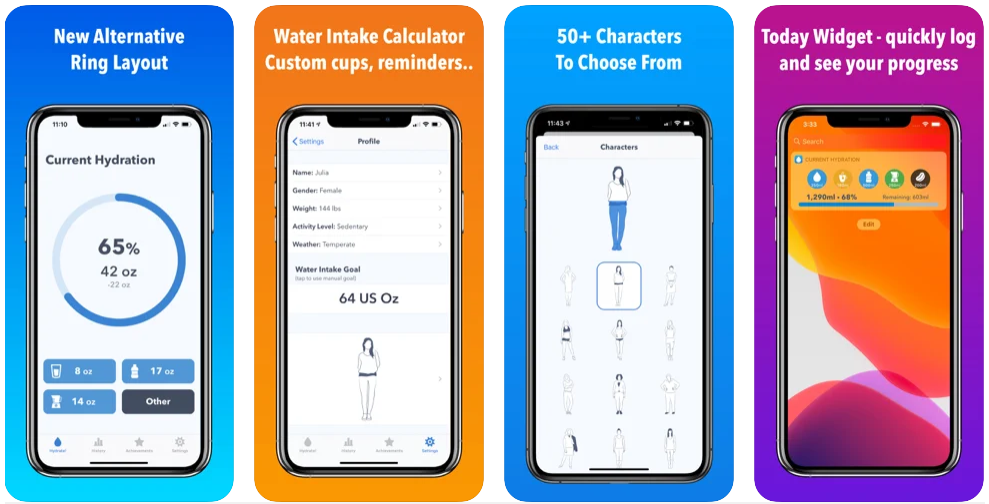
It’s not easy to live a balanced existence. And keeping track of your water intake is one of the most important ways to keep track of your health. You MUST install a widget to your Home screen that recalls and tracks your water consumption throughout the day to stay hydrated.
Water Minder keeps track of all your drinks, so you know how much water you’re getting. You can choose from light, dark, or pure dark themes to suit your preferences. You may log liquid into your favorite weekly charts and keep your water intake on check with ten different widgets to pick from.
21. TunnerBear
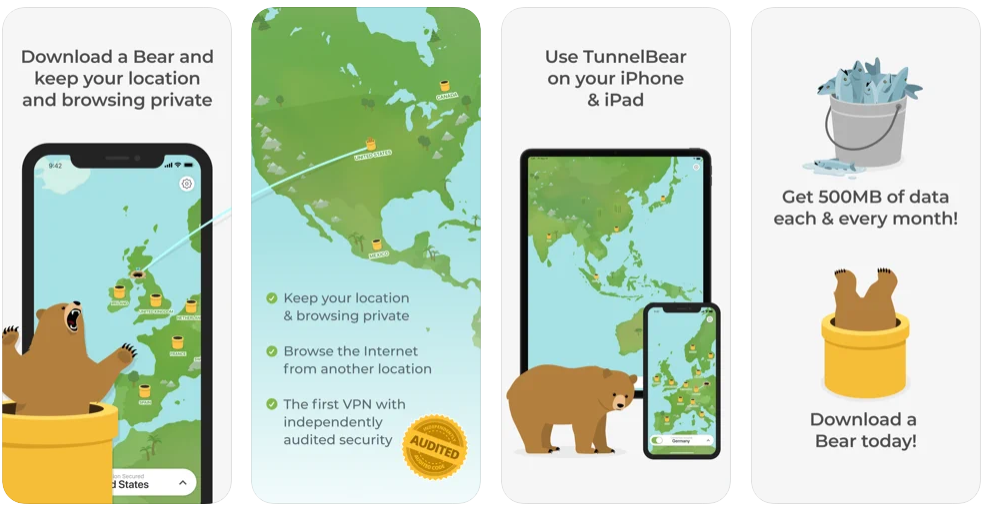
For anyone seeking a safe VPN service for their iPhone, I recommend TunnelBear. TunnelBear secures your connection to public Internet hotspots, protects your online privacy, and allows you to access your favorite websites and apps.
You may check the corresponding location and current connection status with TunnerBear widgets.
Analyze the apps on the list above and use app widgets to make your iPhone look like a professional. On the other hand, Smart Stack widgets aggregate all of your widgets into a single location, saving you valuable screen real estate on your home screen.
Frequently Asked Questions(FAQ): Best IOS 14 Widgets for iPhone
How do I download new IOS 14 Widgets for iPhone?
1. Start by touching and holding a widget or an empty place on the Home Screen until the apps begin to vibrate.
2. In the top left corner, tap the Add button, which is grey.
3. Choose a widget and one of three sizes, then tap Add Widget.
4. Don’t forget to tap Done.
What are widgets suitable for?
Widgets elevate apps by offering a wider space than a conventional app icon to provide rapid access to information without opening the linked app.
Do widgets drain the battery?
No, It doesn’t drain the battery. Widgets only display content already on your phone or the web.


Tech
11 Best Golf Apps for Apple Watch

How many times have you been out on the course and said to yourself, “I wish I could just check my distances?” Well, now you can! With these 11 best golf apps for Apple Watch, all your worries are over. You’ll never need to pull your phone out of your pocket again because these apps will do it for you. So sit back, relax, and enjoy a game of golf without the worry of checking stats or distances ever again!
Consumer interest in wearable devices like the Apple Watch has grown dramatically in recent years. This popularity is being embraced by sports-minded people who want a way to track and measure their activity levels while enjoying themselves outdoors. Many golfers have already invested in these devices and are using them to improve their game. Here, we’re going to look at some apps that can help you improve your game.
1. GolfBook – GPS Range Finder (Free)
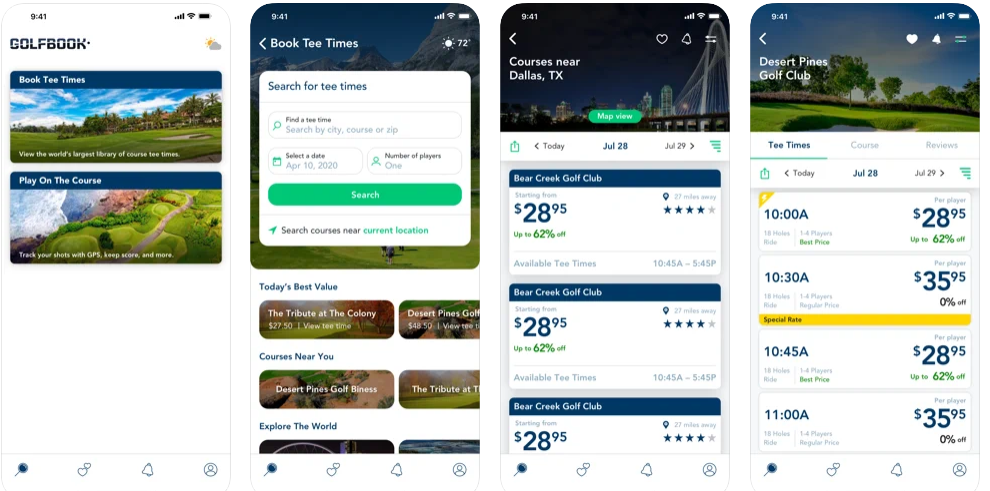
GolfBook for iPhone, iPad and Apple Watch can help you improve your golf game. It can also assist you in measuring distances from any nearby location or object. The software uses GPS to figure out how far away the green is and where you are concerned. Furthermore, it uses other methods that include Assisted GPS and Network Analysis and a lot more so that you can measure distances from any point quickly. It will also give you the distance from a yardage marker or any object. When using it on your Apple Watch, it will even show you the distance from your current position to the point of interest.
2. GolfShot ($99.99)
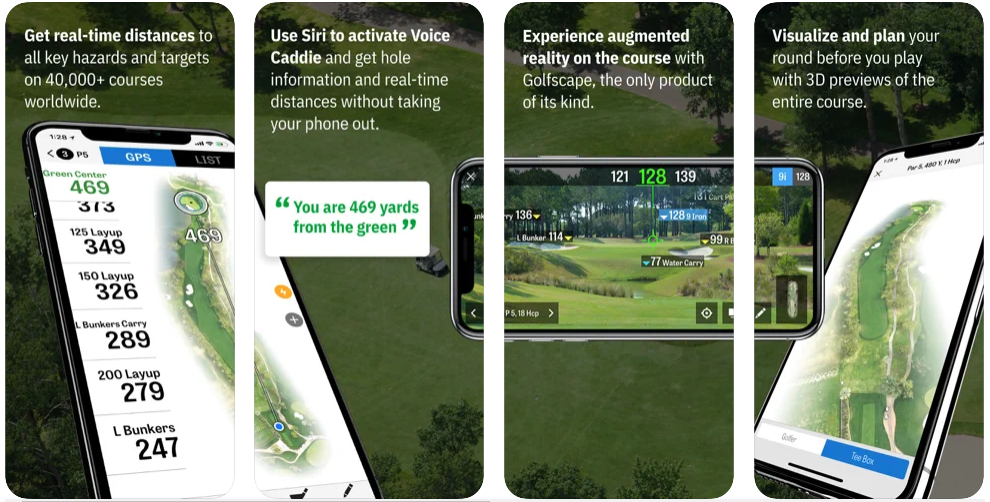
With GolfShot, all you have to do is place your iPhone on the target and take your shot, and that’s it. This app does not require any rangefinder; its accuracy is based on how close you are to the target. It uses the same technology as your Apple Watch but reduces its accuracy by 12 percent compared to devices without gyroscopes. It estimates distance down to one meter. However, it does not provide a yardage feature for Apple Watch.
You might also like: 11 Best NBA Live Streaming Free Websites To Watch NBA Online
3. GolfCard (Free)

The GolfCard app is available for Android and iPhone users, whereas the Apple Watch version is not yet available. However, you have the option to use your Android or iPhone to measure distances for you. It has a unique feature that lets you regularly update and track your handicap while also providing recommendations based on your performance. It also shows the percentage of fairways hit, the number of putts taken, and more so that you can improve on these aspects to be better in your next game.
4. GolfShot – GPS rangefinder (Free)
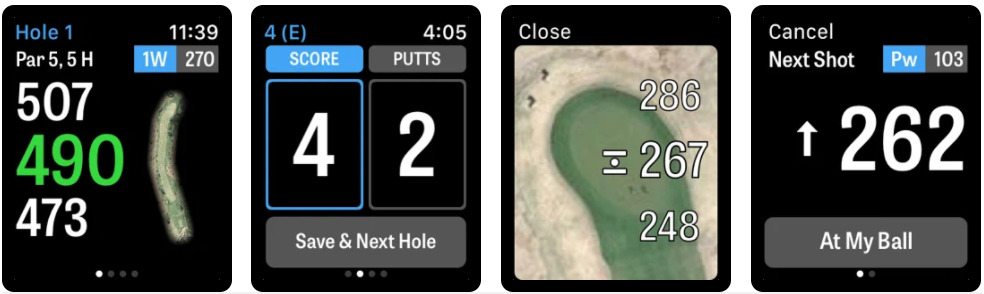
Golf shot is similar to GolfBook and uses a combination of GPS, assisted GPS, and network analysis to determine the distance to your target. However, its accuracy in specific environments can be lower than your average device without a GPS. The app also does not provide a yardage feature for Apple Watch, although it does provide information on how far the target is from you in meters.
5. GolfShot Pro – GPS Range Finder ($99.99)
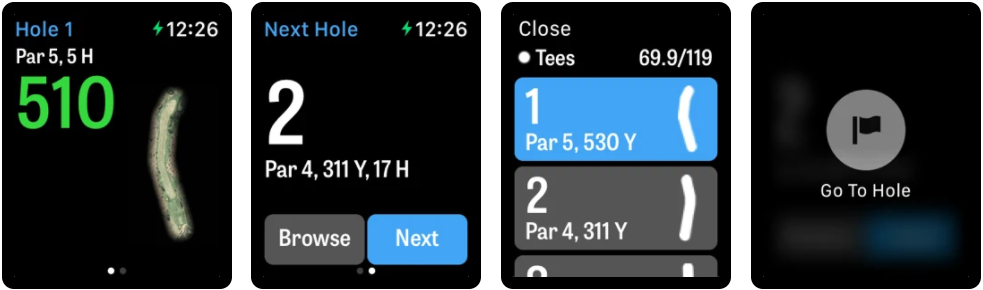
GolfShot Pro app is available for Apple Watch users as well. This app does not use any distance sensor; instead, it utilizes two gyroscopes to accurately measure your shot’s distance. This means that the app will not be accurate in areas where there is no external signal. However, it will be very accurate when you are on the course. In addition, it has its own using technology that enables you to measure distances from yardage or a marker and provides an option to measure distances from another iPhone or an Android device so that you do not have to carry both around with you.
6. VR Golf – 3D Driving Range (Free)

VR Golf has its advantage when compared to the use of GPS and network analysis. It uses the front-facing camera of your iPhone or iPad to determine the distances of objects in your vicinity. It sends you notifications about your swing that you can review later. It even gives a fictional golf club that you can use to practice shots. It will provide you with feedback on how each aspect of your swing was that day so that you can improve upon it in future games. You can even play fundamental courses using this app!
7. Golf Courses & Stats (Free)
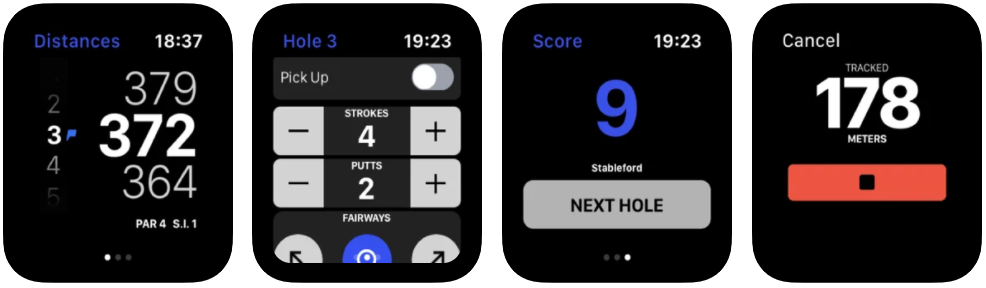
Golf Courses & Stats requires you to have location sharing enabled on your Apple Watch to use the app. However, this app has many features that make it one of the best golf apps for Apple Watch. The app provides information on the course and where each hole is located, so you will not miss a critical shot. It also hits a percentage of fairways, putts took, and more so that you can improve on these aspects of your game to be better in your next game. It even has a feature that lets you search for other users nearby who want to play together.
8. Range Finder – Golf GPS Distance Finder (Free)
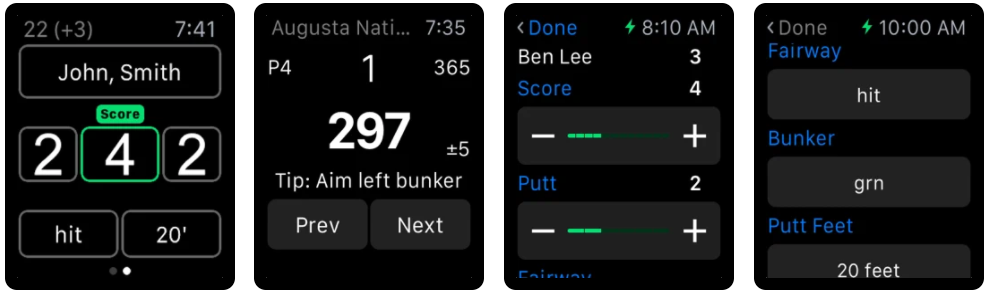
Range Finder is one of the apps that provide yardage and also works on the Apple Watch. The app uses your iPhone to provide you with accurate information about where each hole is located. It even shows you the total number of fairways hit, putts taken, shots made, and more to use this information to improve on these aspects in your next game. The app has excellent accuracy compared to other best golf apps for Apple Watch. However, it still does not provide a virtual ball feature as a lot of its competitors do.
9. SwingU (Free)
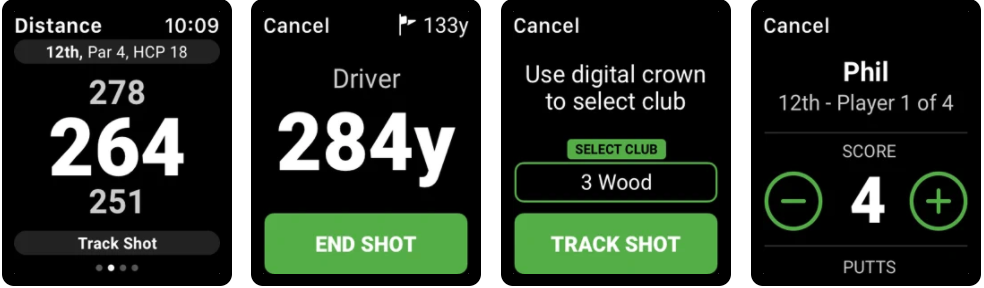
SwingU is a new golf app specifically designed to help golfers track their game and improve their skills without taking their phones out of their pocket. It’s the first and only golf app that works on Apple Watch! SwingU allows you to track statistics like ball flight, shot distance, and fairway performance for every shot played. The app also provides feedback on follow-throughs, tempo, and precision to help you understand your strengths and weaknesses.
You might also like: 15 Best Free Live Football Streaming Apps for Android & IOS
SwingU also has GPS capabilities which allow users to record distances for each hole from the tee box with ease. This is crucial to calculate accurate scores when it comes time for scorekeeping at the end of the round. I also like how SwingU will automatically record the distance of every drive. It will even tell you if a drive was hit on the left or right side of the fairway! This is especially useful for beginners who want to improve their accuracy.
“We want all golfers to have access to SwingU’s exciting features, and we believe that offering a great golf app on Apple Watch is a way to make that happen,” says Martin Pepper, Co-founder and CEO. “The technology is there. The Apple Watch needs apps that make it more than just a watch. We saw an opportunity to enhance the game for newer and experienced golfers by providing real-time, actionable information and feedback.
10. V1 Game – Golf GPS Distances (Free)
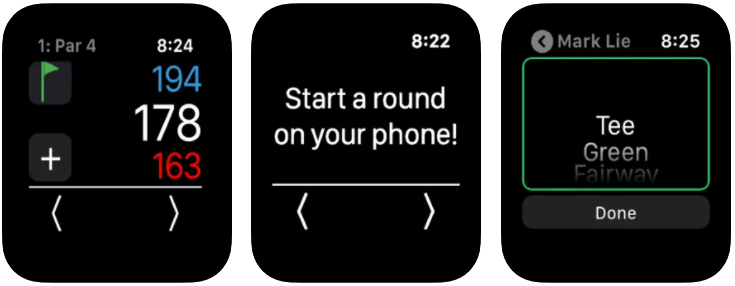
V1 Game: Golf GPS Distances is the world’s first and only golf game with a built-in professionally calibrated GPS for measuring the distance to fairways and hazards. The V1 Game: Golf GPS Distances features in-game video advice from former Ryder Cup player James Riley and includes a cheat sheet of learning how to play better golf tips by professional golf instructor Nick Jay. V1 Game: Golf GPS Distances has been used by PGA Tour players to practice for The Barclays during the FedEx Cup Playoffs and featured in blogs such as Sports Illustrated, Mashable, and The Golf Channel.
11. TheGrint – Golf GPS & Handicap (Free)
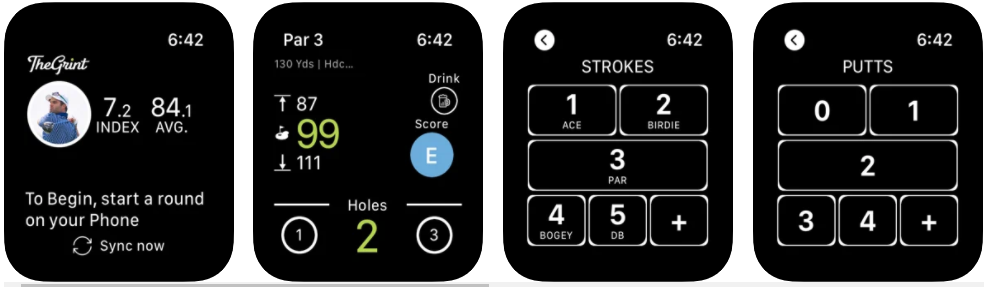
TheGrint | Golf GPS & Handicap is one of the first golf GPS applications designed for the iPad and works on the Apple Watch. The app is your guide to tee times and a tool to improve your game by providing personalized statistics, including course difficulty, scoring metrics, and handicaps. It easily syncs with your iPhone or Android (coming soon), has over 50 million courses, and lets you browse detailed course maps, track players (friends or foes), mark shots on a map, and save holes in one location etc.
As an avid golfer who was frustrated with playing other people’s courses repeatedly without ever trying out new flavors (i.e. walking the same holes over and over), TheGrint was designed as a way to analyze every hole of a course to create the scoring track and then compare that course with others for future reference. The app is in beta currently, with new updates being released shortly.
TheGrint is available for the Apple Watch too. It can be used as a golf GPS, but it can also compete against your scores by comparing handicaps. Furthermore, the software is available for download on Google Play and iTunes Store, where it costs $1.99 ($2.99 for the Apple Watch version).
Frequently Asked Questions(FAQ): Best Golf Apps for Apple Watch
Is Apple Watch good for golf?
Yes, On a golf course, Apple Watch is most useful for guiding your player around. You can use Siri to find out the yardage to different points on the course and then press one button to be shown there without sight of the destination. It’s also good for telling you elapsed time, which is how much time has passed between tee and green in stroke play tournaments, or figuring out when it will get dark after an AM start time to decide if you’ll need a flashlight. Apple Watch provides distances, scores, statistics, and other data from your game.
Are golf watches legal?
Yes. GPS devices have been used for a decade in professional golf without ever being banned by the USGA or Royal & Ancient Golf Club. But it’s always best to check with your tournament committee beforehand if they might be enforcing a different policy.
Is there a free golf GPS app for Apple Watch?
Yes. Golfshot GPS is a free app that delivers distances to the centre of the green for more than 35,000 international courses. It offers score tracking, shot mapping, hole flyovers with accurate yardage based on detailed satellite imagery, built-in notifications when it’s your turn to hit, and much more!
Do golf GPS watches work?
Yes, A golf GPS watch can give incredibly accurate results.
Knowing exact distances to the green and hole locations is very helpful in achieving better scores, as it lets you plan your way around the course. Professionals use them regularly to get that extra edge on their competition during tournaments.
You don’t even need a cell phone or access to a working Internet connection while playing golf anymore – all you need is this little watch on your wrist!
What is the best smartwatch for golf?
Like many other things, functionality will vary from individual to individual. What is essential is that picking out the “best” watch for golf is not determined by gender or range of features. It’s determined by how it works for you.

So there are a few questions you should ask yourself when deciding which watch will work best for you and how you play golf. How often do I play around? What types of courses do I play? Am I looking more towards smartphone compatibility or apps? Do I want my hands free when taking swings and hitting shots, during putts, and around the green?
You might also like: 11 Best Free Scanner Apps for iPhone
The Apple Watch is an excellent device for golfers. It can track your steps, distance walked or ran, and the number of calories burned during your round. Golf apps for iWatch are also available to help you with shot measurements like yardage from the green or hole location on the course. We hope this blog post has helped you find an app that will make it easier than ever before to play better rounds of golf!
Tech
19 Best Free Video Editing Apps for Android

We all know that video editing apps can be expensive. But what if you could get a free app? It is possible with these best free video editing apps for Android! We have compiled the best of the best to help create your next masterpiece. In this best free video editing apps list, you will get a good mix of classic best video editor apps and some more specific, like the best slow-motion app. You can use these best free video editing apps for Android to create videos easily and quickly! Whether it’s an Instagram or YouTube video, these best free video editing apps will do the trick!
What is the best free video editing app for Android?
It depends. If you’re thinking of making and editing videos, you might want to go for a paid video editor, but the free photo editors online are usually best if you wish to edit a few pictures.
There’s no such thing as the best free video editor or the best paid Android video editor; more critical is finding features that suit your needs – low cost or high quality in editing options. It’s always worth trying out new apps, so download at least two different ones and find out which one suits your needs most!
1. FilmoraGo
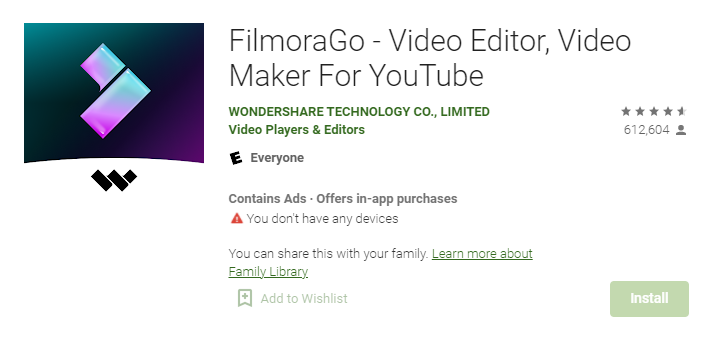
FilmoraGo is one of the world’s most popular free video editing apps for Android without watermark. It makes creating videos easy and fun! This best free video editor app includes over 300 effects, titles, templates, and all of its basic features such as speed control (slow motion), trimming, cropping, and cutting.
With FilmoraGo, you can:
- Create slow motion or fast motion videos with various speeds from 0.02x to 32x faster than real-time.
- Add background music to your videos through a massive library of royalty-free songs that automatically cut to fit your clips perfectly without any extra effort on your part.
- Choose images from our massive image library or choose ones directly from your Gallery.
Price of FilmoraGo: Free / $6 per month or $38 per year
2. VivaVideo
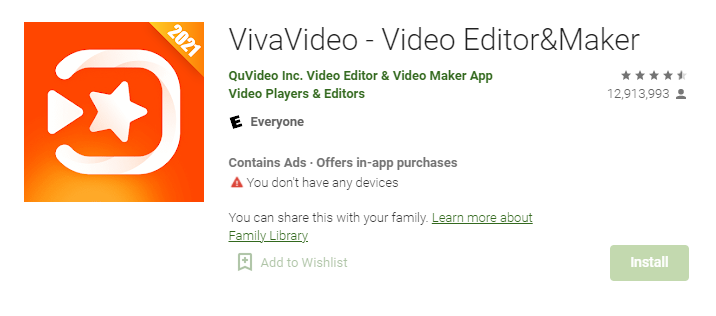
VivaVideo is the breakthrough app that is going to change amateur filmmaking for years to come. No longer do you need a camera or costly editing software – VivaVideo has everything and more! Already downloaded by tens of millions of users, VivaVideo takes on an intimidating subject like video production with ease. With just one click, you’ll have hours of footage ready in no time!
You might also like: 19 Best Free Photoshop Alternatives
Pros:
- Choose from over 100+ effects and filters to make your video stand out. You can even add background music from our library of over 50,000 songs!
- Share your videos directly on Facebook, Instagram, Twitter or WhatsApp – no need to download them onto your computer first. And if you want to edit them further, upload them onto VivaVideo’s online editor.
Price of VivaVideo: Free / $2.23 per month or $11.85 per year
3. InShot
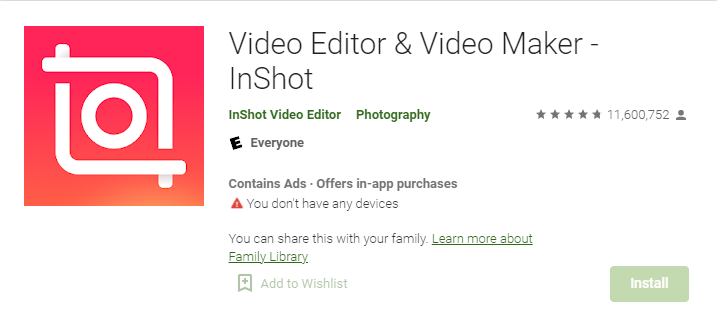
It’s time to share the video you shot with your friends and family before the best moments are lost. With InShot, edit videos on the go from your phone; no cords needed! It’s perfect for quick fixes or quickly sharing memories. To create a life story like only an artist can do!
Create unique shots by zooming in close or switching frames visually; easily add captions without typing anything into the app. You’ll be able to watch it as soon as it finishes editing too!
All of this is available at your fingertips – so make every moment last a lifetime with InShot video editing for Android!
Price of VivaVideo: Free
4. GoPro Quik
Your shots have never looked more vivid. Quik is the GoPro video editor designed to convert your auto-edited videos into shareable masterpieces in just seconds and with no experience required. But don’t worry if you’re still learning – Quik includes simple yet powerful editing features that allow anyone to create content they’ve always wanted without becoming a professional! Plus, save some time by uploading media from your camera roll right from within the app.
You might also like: 13 Best Free Movie Apps for Android
Combining these two gives you ultimate control over telling your story while staying productive on projects and sparking new ideas when they strike. You deserve something extraordinary- give cinematographers access to an even more comprehensive range of possibilities with Quik anytime, anywhere.
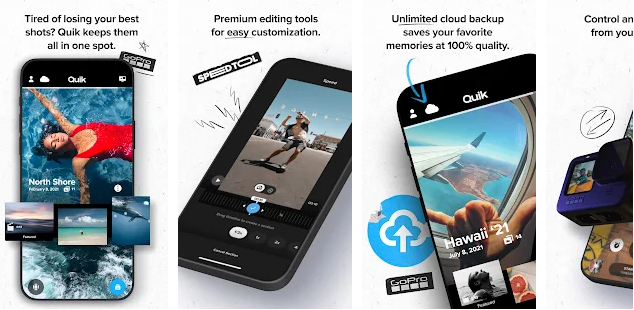
Key features of GoPro Quik :
- GoPro Quik automatically edits your footage into a fun video you can share with friends. With the Mural feature, free your best shots from the clutter of your camera roll.
- Edit together multiple videos and photos in one timeline to create an auto-edit that’s as unique as you are. Choose from simple themes or edit manually using our advanced tools like trimming, filters, music and more.
Price: Free / $2 per month or $10 per year.
5. Adobe Premiere Rush CC
Create an intuitive and quick Mobile video editing experience with Adobe Premiere Rush. With its focus on simplicity, the premiere-quality app can turn even your phone into a mobile studio to share short video stories on any social media network in seconds.
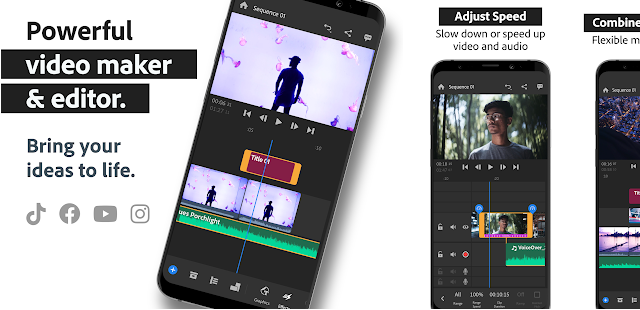
Convert footage shot on devices like smartphones and action cameras, so it looks its best in high quality. Then edit clips together quickly using built-in templates for creating polished videos as effortlessly as snapping selfies or sharing vacation moments. With features such as keyframe animation (Timeline), CC integration, Chroma Key support (Keying), & timeline tracks, you will be able to focus more time making cinematic content than trying to learn how the software works!
Price: Free / $9.99 per month or $119.88 per year
6. Filmigo
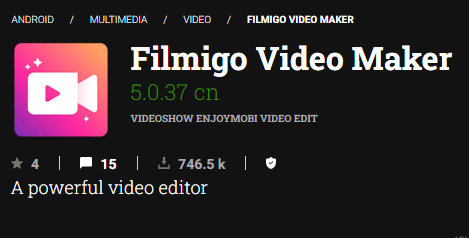
With the Filmigo app, capturing all your special moments and memories on film has never been easier! Filming video clips is made easy with our intuitive interface and quickly accessible features. You need any additional images or videos in your device library- tap to insert them into your project. With so many different types of imagery waiting for you to utilize, everyone can be a filmmaker!
With Filmigo, you can:
- Add up to 3 videos and photos per project, automatically trimmed for you. The app also includes a library of music tracks that are free to use in your projects.
- To make a great movie, drag the clips and images into the timeline, where they will be automatically trimmed for you. If you want more control over their appearance, tap on them and adjust their duration or position using simple rules. Then when you’re ready, hit “Export” to save your masterpiece!
Price: Free
7. KineMaster
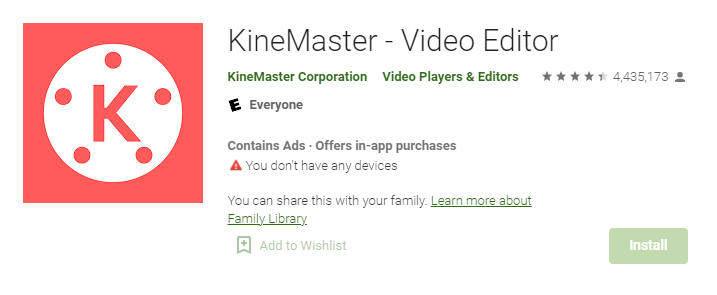
KineMaster is two-dimensional video editing all in the palm of your hand! It’s not just for watching and uploading the videos you make; now, you can edit them too. With amazing features like colour grading, HDR effects, filters, and stickers manipulate what comes out of your camera lens to create videos to entertain.
MP4, AVI, 3GP, FLV, and other video formats are all supported by KineMaster. You can use your camera to capture films or import them from your Gallery. You may also use several fonts and colors to add text to your movies.
You can even use the stickers provided by KineMaster to make your videos funnier! And if you are feeling creative, you can create original stickers from your photos!
Price: Free / $4.99 per month or $39.99 per year.
8. PowerDirector
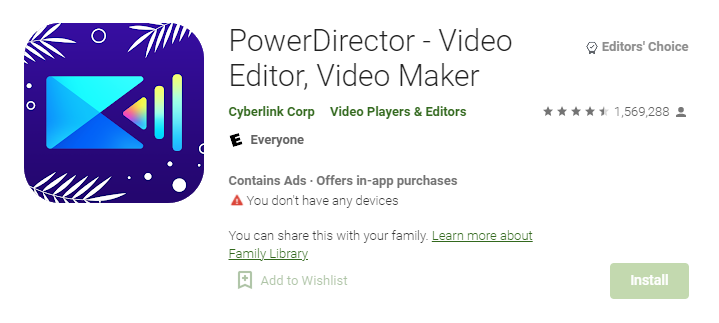
There are no limits to what you can create with PowerDirector – either for personal or business needs. Put your video creation skills on full display, and dazzle your audience with the perfect marketing message through visually stunning videos at a reasonable cost. Choose from some of the best transitions, title backgrounds, music tracks, text effects (300+), subtitle translations (Preset & Custom) and emoticons that will make sure every detail is taken care of.
Stop wasting time editing by hand with a complicated app! Get instant access to over 300 customizable templates that include scripts, titles and endings for any occasion: weddings or graduations; radio ads or podcasts; TV commercials or movie trailers; interactive tutorials; school presentations & news reports.
Price: Free Trial / $19.99 per month
9. Magisto
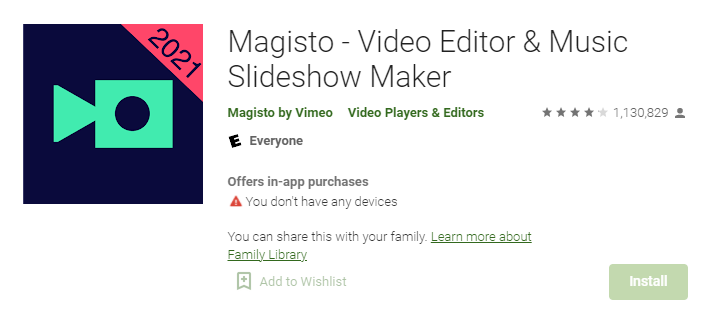
Magisto Video Editor is the best and easiest way to create videos with sliders, filters, effects, and music. Choose your video format (Mixtape or Story), add subtitles, text overlays, stickers, and panoramas in one step, and edit clips either by cutting them out frame-by-frame or by picking what you want — that’s all there is to it!
You can easily share videos with friends & family through social networking websites like YouTube and Facebook.
Magisto Video Editor is the best and easiest way to create videos with sliders, filters, effects, and music.
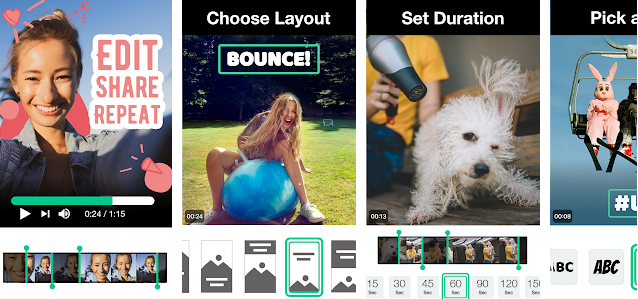
Key features of Magisto:
- Turn your snaps and clips into attention-grabbing videos to become a social media celebrity.
- Edit your clips: cut, trim, merge, and rearrange them.
- Magisto’s artificial-intelligence-driven smart editor allows you to generate professional-looking videos quickly.
- Even if you don’t have any video clips, you may still make wonderful moving picture slideshows or video collages.
Price of Magisto: Free , Premium plan $9.99/mo, professional plan $19.99/mo, and a business plan $69.99/mo
10. Picsart
It’s easy to look back on your old photos and videos with Picsart’s function to trim any video or create a slideshow with the slideshow maker. Choose from multiple music styles, and add clips of family members, places you’ve been, happy memories that are filled with joy, or anything else you want people to remember about your life. And if you don’t have much video footage? No problem—you can merge clips using the smart video merger. Your story will be perfect in every minute!
With Picsart, you can:
- Edit photos in seconds. Cut out faces, add stickers, frames and more! Make collages for Instagram stories or share on Facebook.
- Use our photo editing tools to add text, filters, stickers and effects. Share straight to social media or save it as a picture you can use later.
- Our AI technology automatically finds the best parts of your photos, so you don’t have to crop them yourself! You’ll never need another selfie app again.
Price of Picsart: Free / $6.24 per month
11. VLLO
You’re a creative soul with something to say. You can’t get enough of putting your life and opinions out into the world in video format, but you always feel like there’s more that you have to do- tagging, cropping, uploading – and now you’re over it. Luckily, with VLLO by your side, all we want for Christmas is quality content from our favourite bloggers!
This app enables people who are serious about making videos with no technical knowledge required. It’s quick and straightforward, leaving no watermarks without payment, so elevate your creativity like never before this holiday season!
Price of VLLO: Free/ One-time payment of $6.99
12. ActionDirector
ActionDirector helps you get out there and create the videos your friends will be talking about. Be ready for the next viral video to go live in 10 minutes! Add music to your video and share it with all of your friends that want a sneak peek or don’t know how but can use ActionDirector. You don’t have any time left to lose; download now!
Features:
- Use ActionDirector to record video and begin editing right away.
- With fine speed controls, you can highlight the action in slow motion and fast motion.
- To rewind or repeat a video, highlight it.
- Make your own background music and blend it in.
13. Google Photos
Google Photos is the place to keep all of your memories, no matter how old they are or where you find them. It’s made so that anyone with a camera can easily take better pictures and videos with automatically generated animations, collages, and movies from your photos and videos themselves – not just other images. Or edit existing ones with our easy-to-use, intuitive editing suite that helps not only make your photos shine but steps in to do most scrubbing for you when it comes to dust spots or red-eye!
Price: Free
14. Timbre
Timbre lets you cut, join and convert your audio and video just like the pros! Get your perfect video by cutting out that embarrassing moment. Join interview clips in a matter of seconds. Resize to HD without spending hours rendering or having to fill up memory on your old computer. Convert an 80s cassette tape into clear CD quality sound waves for future generations.
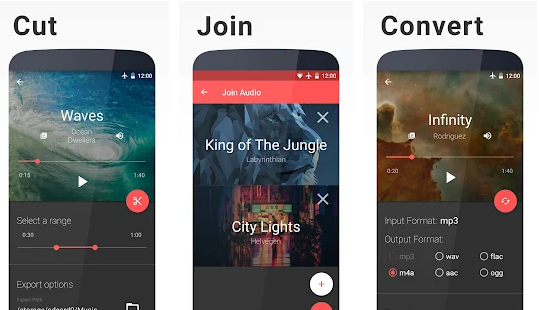
With Timbre, you can:
- CUT + JOIN VIDEO – Cut and join video files in a matter of seconds. Timbre is the most intuitive way to cut, trim, split or merge video clips.
- CONVERT AUDIO – Convert your audio files from one format to another with ease! You can convert between MP3, WAV, AAC, FLAC & more!
- CONVERT VIDEO – Convert your video files from one format to another with ease! You can convert between MP4, AVI & more!
Price: Free
15. Funimate
Funimate is one of the best free video apps for editing on the market. With Funimate, you’ll be able to edit and create content ready to make a YouTube career with just some basic knowledge and these simple tools!
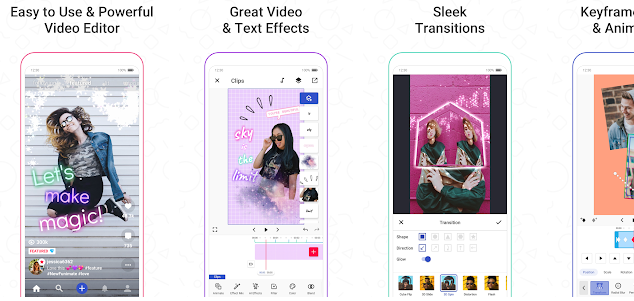
Funimate has over 100 effects, filters, and transitions for you to choose from. You can also add music to your videos with our library of free songs.
With the magic of artificial intelligence, Funimate lets you create awesome videos using just a few taps! It’s the easiest way to make great looking videos on your phone or tablet.
16. VideoShow
VideoShow is one of the best free video editing app for Android for turning any moment into a memorable, share-worthy miniature masterpiece. You can easily add music and effects to your creations with over 3000 in-app assets to choose from – which means that you’re one tap away from taking your first photo slideshow or meme-making adventure. You’ll be making videos on the go like a pro in no time at all, so don’t wait! With this movie maker, it’s never been easier or more fun than VideoShow.
Price: Free
17. Alive
With a dead battery? Try ALIVE Movie Maker, the easy way to make and share short videos with friends and family. Select your desired effects, filters, or titles for as long as you want and then upload it to the app, where you can watch other users’ creations in seconds. Tap on any of them if you like — they’re all accessible in our timeline of videos!
Price: Free
18. Film Maker Pro
Film Maker Pro is a video editing tool that makes it easy to organize your clips, add text and graphics, overlay music from online libraries or upload your own, create titles with drag-and-drop text templates plus voice over recording.
Create awesome movies with just a few clicks using Film Maker Pro.
- Select an amusing theme from our wide variety of goofy templates for your storyboard or movie credits, or design and create your own.
- Drag and drop text boxes to add captions.
- Record on location without the need for another camera with support for 360 Degree Video!
19. Vibe
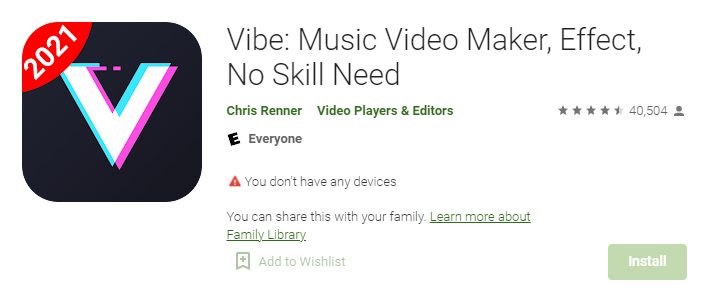
The vibe is a simple and free video maker app for android that lets you create your favorite music videos without hassle. It’s as easy as picking the clips, setting the transitions, adding color filters, the musical soundtrack of your choice, and dubbing in subtitles to make it more enjoyable for all fans out there.
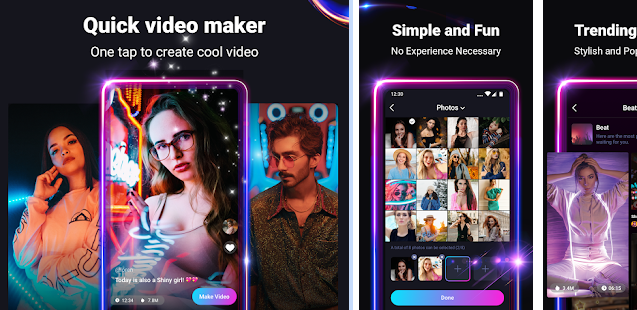
With Vibe Video Maker at hand, you can easily choose between gorgeous cinematic scenes with sweeping views or an up-close look by zooming in on objects. In seconds your ordinary clip will transform into something much more engaging! Express yourself through short films with Vibe Video Maker – be creative and have fun making awesome videos today!
Price: Free
Frequently Asked Questions(FAQ): Best Free Video Editing Apps for Android
Is Premiere Pro free?
Yes, Premiere Pro is available to download free of charge from Adobe’s website. And it comes with a 7-day trial period that enables you to explore the app before making a purchase decision. However, there are after-purchase expenses for some features and plug-ins in Premiere Pro, like animation effects, convenience additions, and the like.
Does Google have a free video editor?
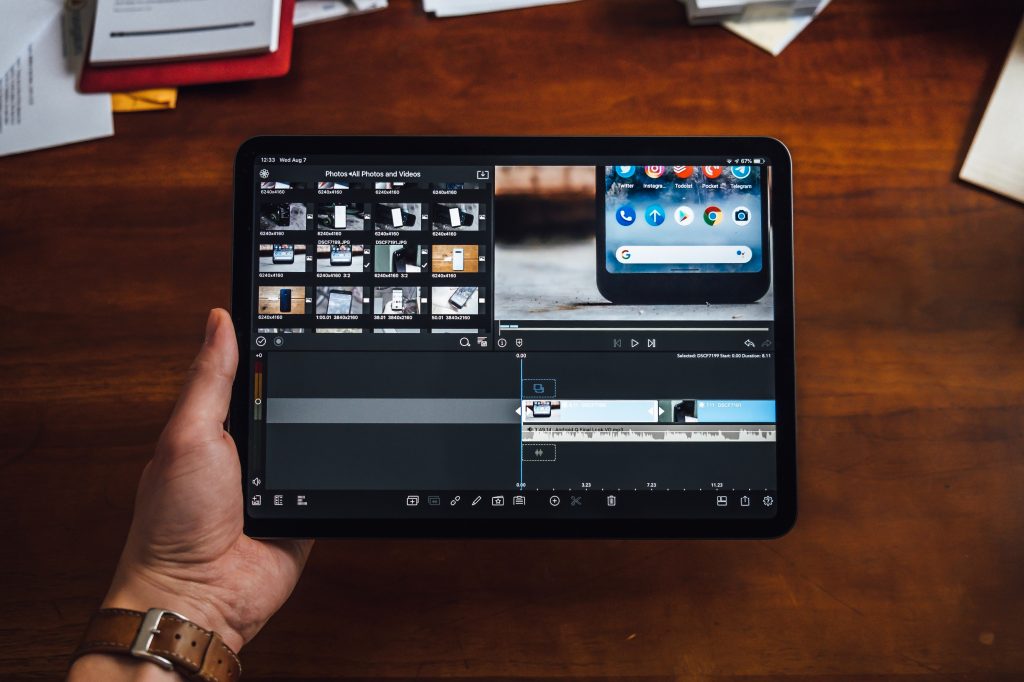
Yes, Google has a free video editor built into their Google Photos app.
You might also like: 15 Best Free Live Football Streaming Apps for Android & IOS
If you want to edit your videos on the go, then make sure to download one of these best free video editing apps for Android! You can even use them for other tasks such as playing music or viewing photos. Pick whichever one best suits your needs and start making memories that last a lifetime.
Tech
19 Best Free Photoshop Alternatives

Photoshop is expensive, and it can be challenging to find free Photoshop alternatives that are as good. However, with a bit of research, you will discover some fantastic options for Free Photoshop Alternatives. In this post, we have listed 19 of the best free alternatives to Photoshop available today. You’ll also find helpful links to websites where you can download these Free Photoshop Alternatives for yourself!
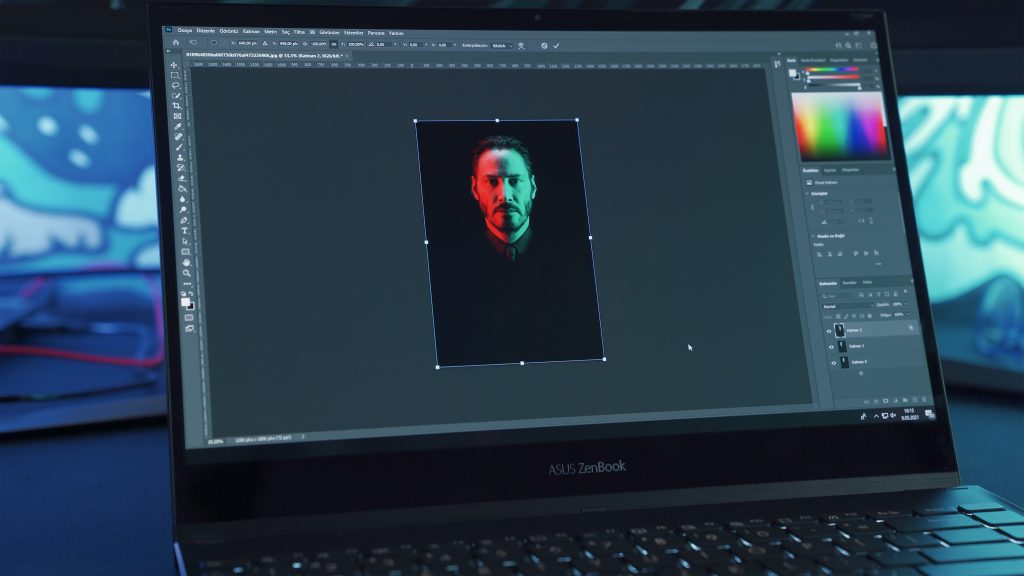
Is there a free version of Photoshop?
Yes, There is a free trial version of Photoshop for seven days.
After that, the user has to take out a monthly subscription or pay the one-time fee – depending on how long they want to use Photoshop. There’s always GIMP or other free alternatives such as motioned below for those who can’t afford Photoshop.
1. GIMP
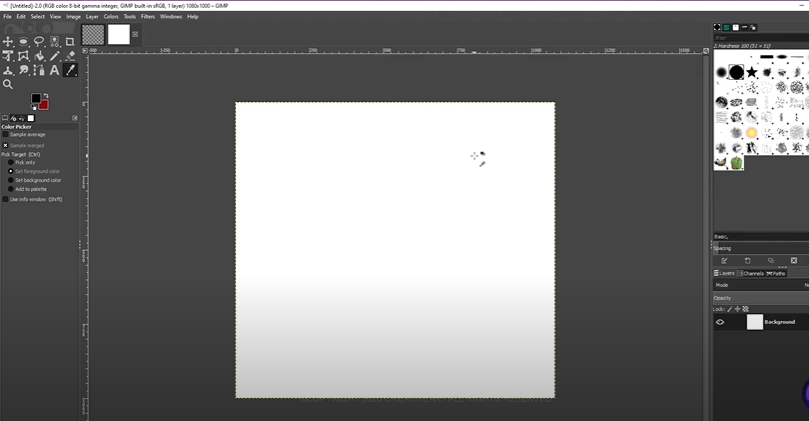
The GIMP proves just how useful free things can be. As a cross-platform image editor, this free software is perfect for graphic design, photography, and illustration. The GIMP will never ask you to “pay close attention”–it’s free!
The best part about using GIMP for your graphic design needs is how easily it integrates into high-end software systems like Adobe Illustrator and Photoshop. If you’re an artist who likes having more control over their work than what professional editing programs give you, then this might be your ticket! With new features being added to ensure photographers of all levels can get excellent quality without breaking any budgets, why use anything other than GIMP?
2. Photopea
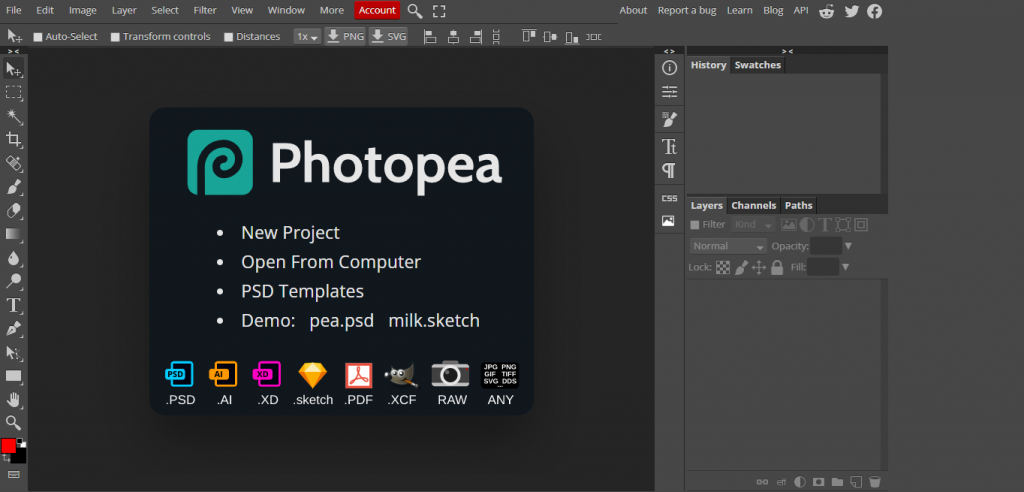
This is the second free alternative to photoshop. The Photopea web-based graphics editor is great for all of your basic needs! It runs without plugins, meaning everything you need to start editing and creating content is right at your fingertips.
You might also like: 11 Best NBA Live Streaming Free Websites To Watch NBA Online
Upload a photo, explore our built-in free vector art library, or find images from other talented designers all in one place! With just a few clicks, you’ll be on your way to design a logo design or a flyer for an event.
3. BeFunky
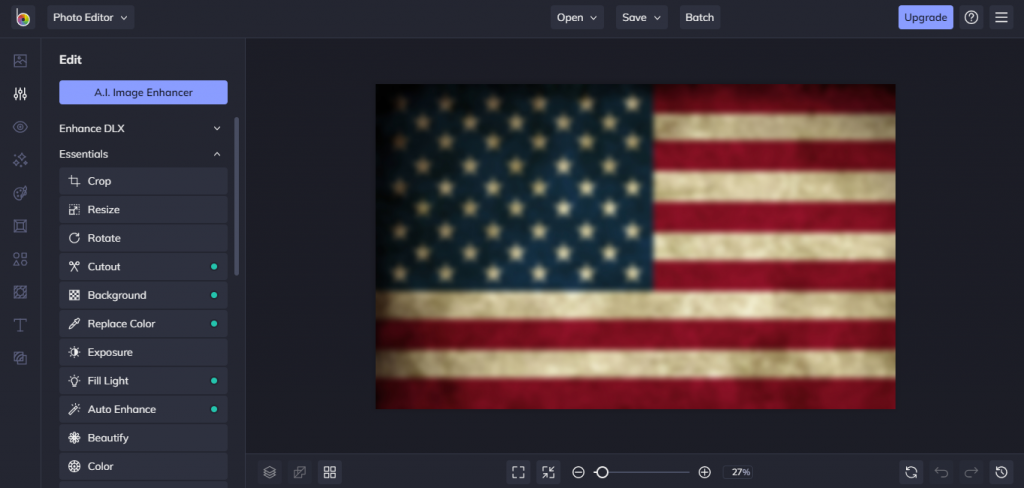
Make your photos interesting with just a few clicks. Share them on social media in unparalleled style. BeFunky: the easiest way to jazz up your shots, share them with friends and family, or post for all of the worlds to see.
4. Krita
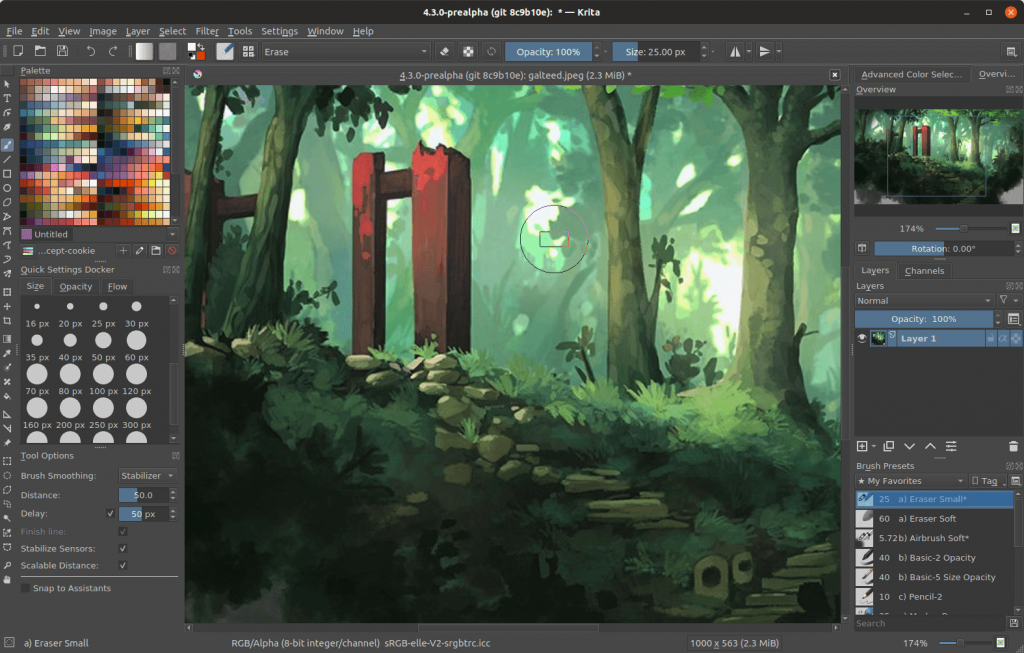
Krita is also a free alternative to Photoshop and an open-source painting program. Krita offers features typically found in more expensive pro applications like Photoshop or Corel Painter, but it is all accessible and fully functional!
Imagine unlimited colors on a canvas that goes as far as you can see. Krita is an award-winning application for creating professional painting artwork. It consists of a complete set of painting tools, including raster, vector, and text tools.
If you’re looking for an affordable alternative to expensive graphics software, we’ve got your back! Your new favorite creative tool is here: Their free and open-source program Krita gives artists everything they need to make it big with their work–so get prepared!
5. exPhoto
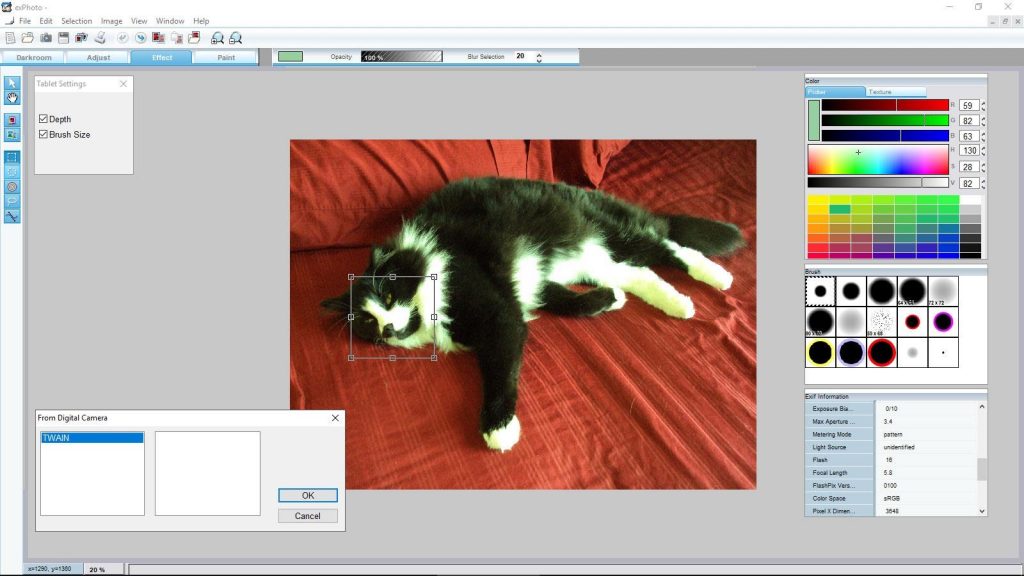
exPhoto is a photo editor and correction software package from the author of Pixia. It has everything that you need to edit your photos seamlessly, with all the essential features in one place and an easy-to-use interface.
Do you have a hard time working with your photos? Are they too dark and lacking the necessary contrast? No need to worry about that anymore. ExPhoto is here! With our module-based system of automatic adjustment, it’s never been easier to take control of the elements in your picture.
Whether you’re dealing with color balance issues or want to make adjustments on specific features on an object – such as a phone’s camera lens – we’ve got all of the tools your vision needs.
6. Pixlr
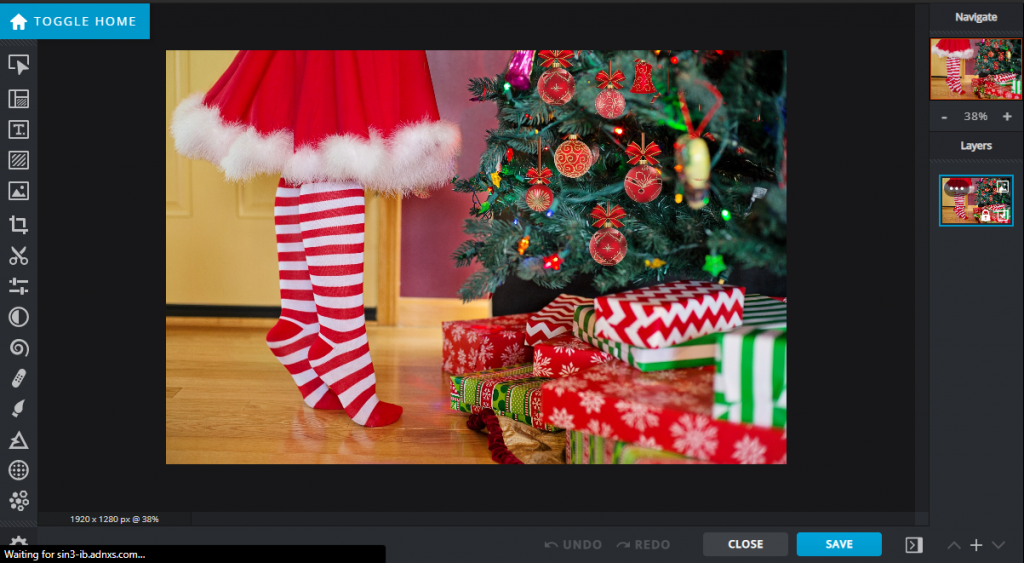
Pixlr is an online photo editor that helps you edit photos and create incredible designs. It’s powered by the Pixlr Editor, a tool designed to make working with images easy and beautiful. From perfect cropping shortcuts to overlays for adding texture or watercolor, it does what you need without having to fire up Photoshop or breaking a sweat.
This is where you can make your photos look as pretty as they are. Edit any image with the ultimate suite of photo editing tools, drawing tools, and design templates. Get creative on Pixlr – it freezes the fun!
7. Apple Photos
The IOS Photos Editor is a free tool that lives in and with your photos. Edit your best memories, make GIFs, and add filters without touching a computer or loading up an app!
You might also like: 21 Best IOS 14 Widgets for iPhone
Craft the perfect photo with our one-touch editing features: adjust lighting and contrast; reduce noise; sharpen focus on details; create cinematic effects vignettes for any occasion. Add filters to bring out different aspects of your photography – modern black & whites, deep saturations, brilliant color tones – we have it all. You don’t need an app anymore when all you need is Apple Photos!
8. Inkscape
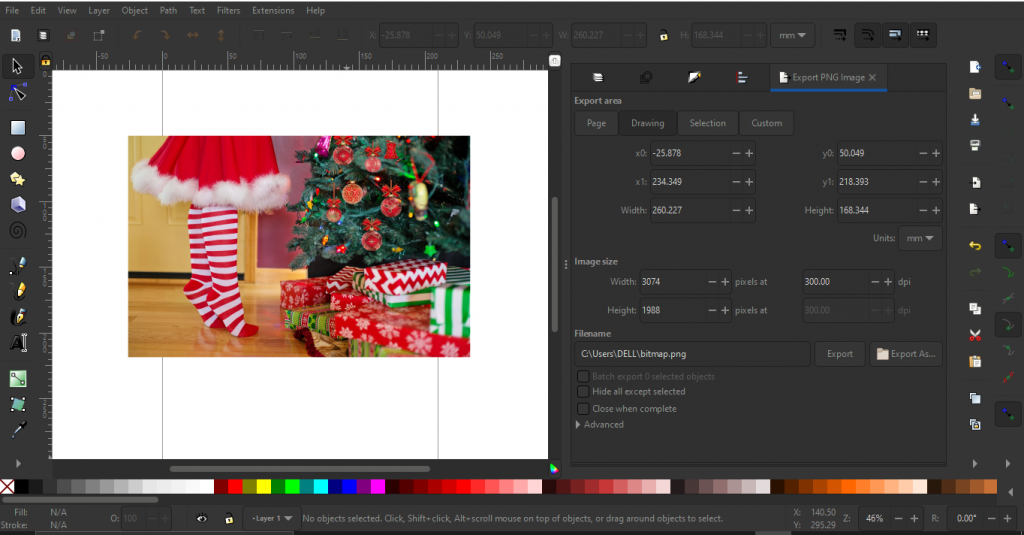
Inkscape makes it easier than ever to express your ideas through lines, shapes, and color. The latest version includes powerful features that streamline advanced design workflows for creating beautiful prints, web graphics, user interfaces.
Draw freely, then choose from a collection of richly designed templates in the Variations palette or create a custom document layout with versatile tools such as grids and rulers.
Unlike Illustrator, Inkscape is free, and so it’s perfect for graphic designers on a budget or students! It offers the same quality as Illustrator with vector shapes, objects, text, “drag & drop” ease of use tools, and more! So be bold; take the plunge. Download and install this great favor to design from your bedroom today.
9. Canva
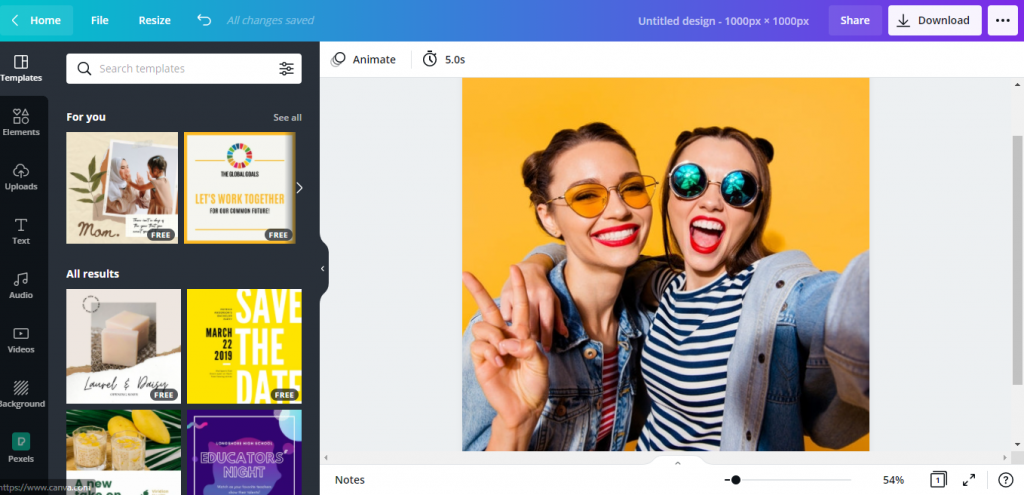
Are you looking for web-based free photoshop alternatives?
You’ve got a team working on that project. Why not have everyone’s input into it? Let them get inspired by a blank canvas with Canva. Gather your team in one place, and you’ll all be able to collaborate, whether they’re around the table or miles away.
Create content you love with Canva. Create it all: presentations, marketing materials, social media graphics, and more—all without needing to be a pro designer! Supported by tutorials and templates (Pexels), Canva is the graphic design platform for everyone.
10. Polarr
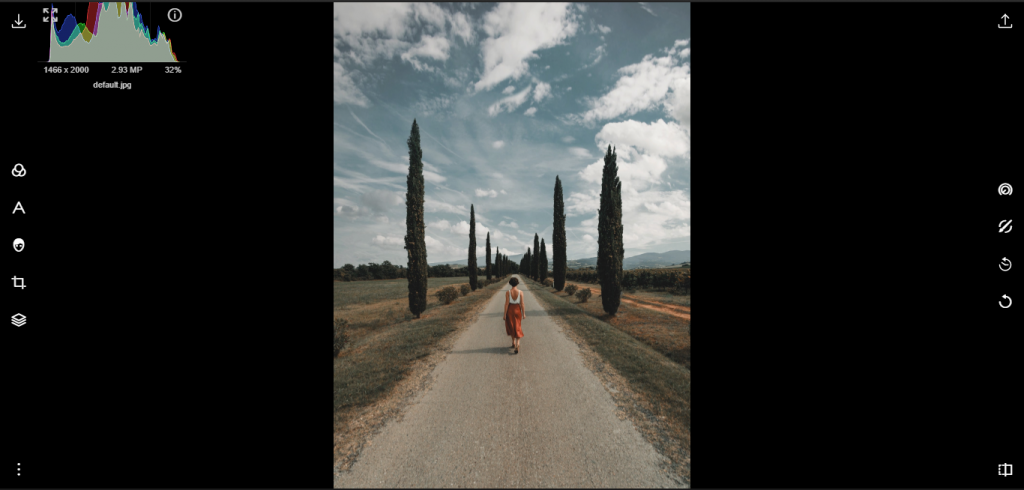
We’re so excited to introduce Polarr! This powerful free photoshop alternative is the premier choice for anyone looking for an advanced, free solution. It’s available anywhere on the web or mobile and has everything you need to look like a pro. No excuses when it comes to editing your photos with this amazing app!
It’s available for all of your devices and includes features like social media integration that some expensive apps lack. Upgrade to Polarr Pro with more filters, effects, and corrections so you can edit images up to 10x faster than other similar software!
11. PicMonkey
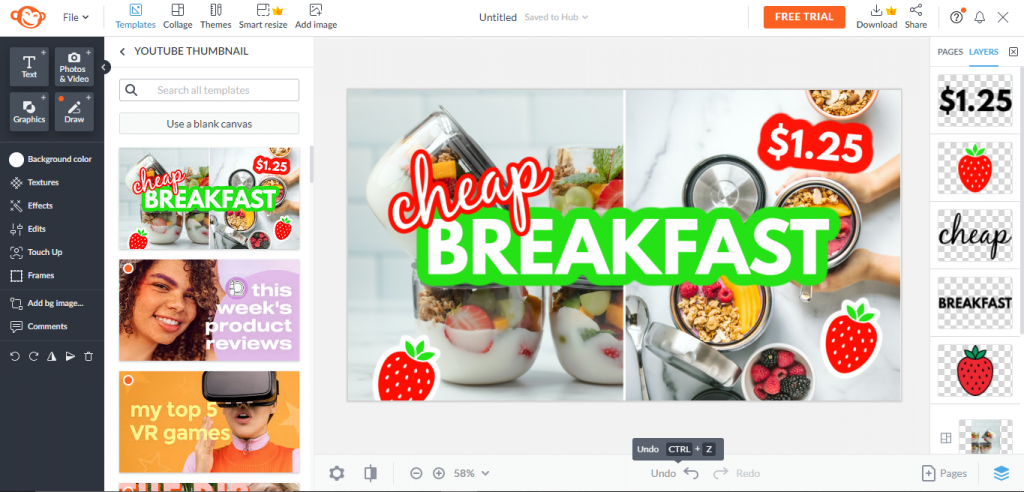
PicMonkey is a powerful free collage maker, online photo editor, and mobile app. Create eye-catching banners for your social media streams, customize images for websites and make beautiful posters with an unparalleled collection of customized fonts, graphics, and layouts. With everything from custom layouts to strong exporting capabilities available in one easy package, PicMonkey has all the tools you need to create unique projects all from your computer!
12. Paint.NET
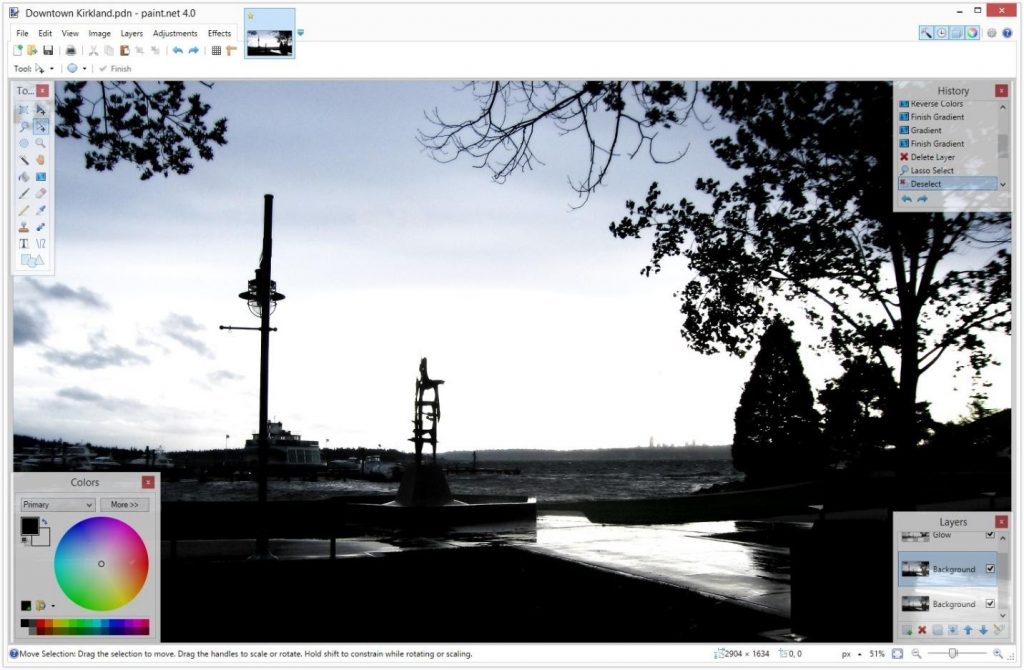
You are introducing Paint.NET, the fastest free image, and photo editing software for your Windows PC! What makes this program so great? For starters, its user interface is incredibly intuitive, allowing you to become comfortable with it in no time at all quickly.
And you won’t have to pay a penny for these features either; Paint.NET will always be completely free and open-source software! Oh yeah – did we mention that this program also has layers?! With that feature alone, you can do some seriously awesome things like combining images or tweaking individual picture elements independently from everything else. Have fun exploring what you can create on your own now that these features are at your fingertips!
13. Fotor
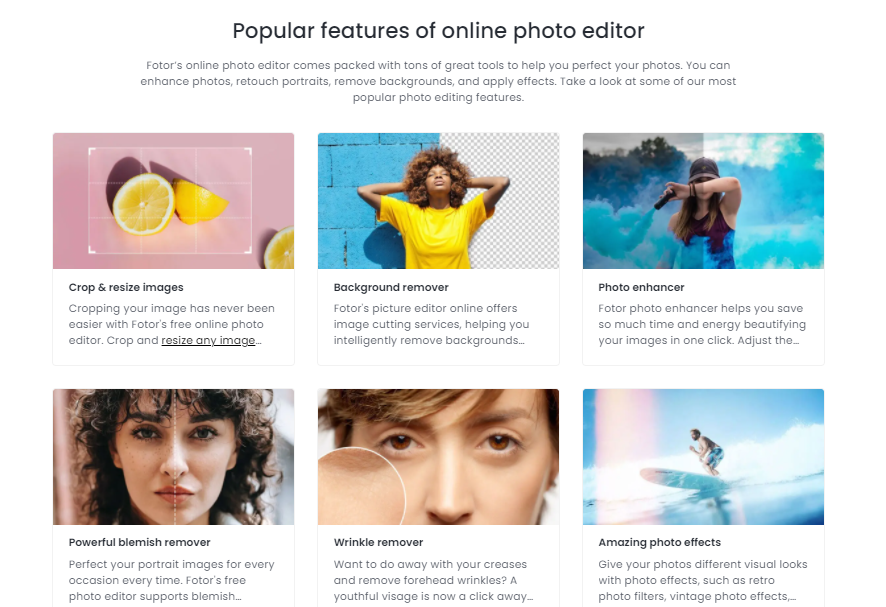
Do you feel like your images could use some help? Imagine editing and filtering every image from here on out with Fotor. Fotor is the perfect solution for those who want their photos to look awesome!
Whether you’re using a Mac or Windows machine, They have an app just waiting for you. The best part is their excellent customer service team will answer any questions 24/7!
14. Seashore
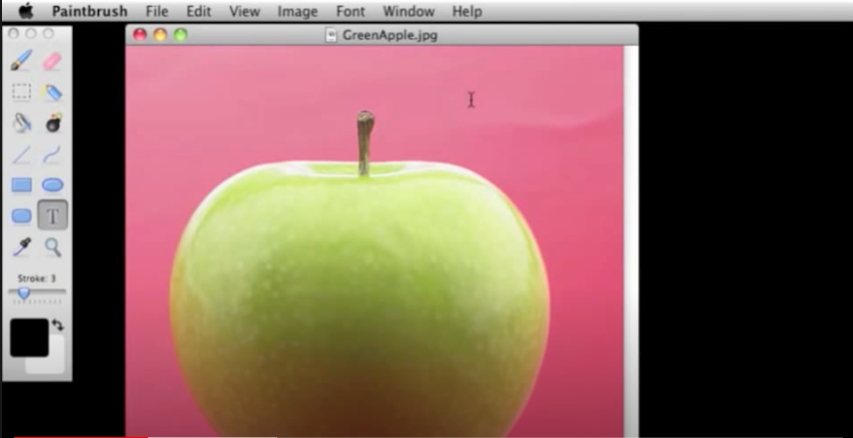
The next free alternatives to photoshop is Seashore. Seashore is a smooth and stylish free photo editor. Seashore has the simplicity of desktop editing but enough features to make it a powerful tool for professionals.
15. SumoPaint
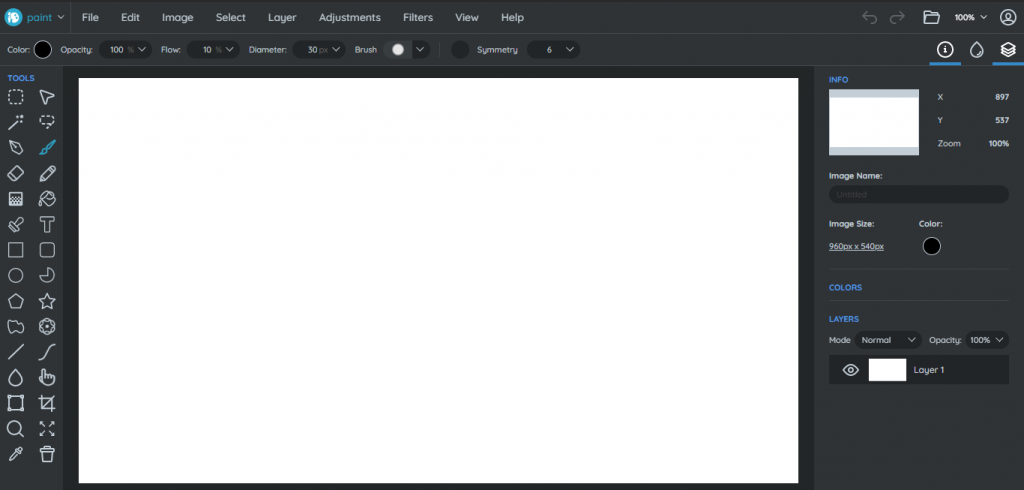
SumoPaint is the most straightforward and intuitive online image editor that lets you create fantastic pictures with one click! Just sign up for free, choose your favorite templates to start painting anything you can imagine.
SumoPaint is an online image editing tool that also has an offline version for all your art needs.
16. Pixia
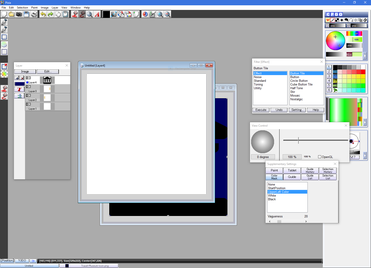
Pixia is a free, open-source raster graphics editor great for those new to the world of graphic design. Pixia sports numerous photo filters and color adjustment tools that allow any amateur designer to create vibrant graphics.
Adding images to Pixia makes them sparkle like never before! Add depth and intensity to images by using one of our dozens of high-quality photo filters or add motion blur or raindrops on leaves with our selection of video effects. With so many customization options to choose from, it’s easy to get lost in this captivating world—Pixia will take you away as soon as you enter.
Capture your memories with Pixia!
17. Lunapic
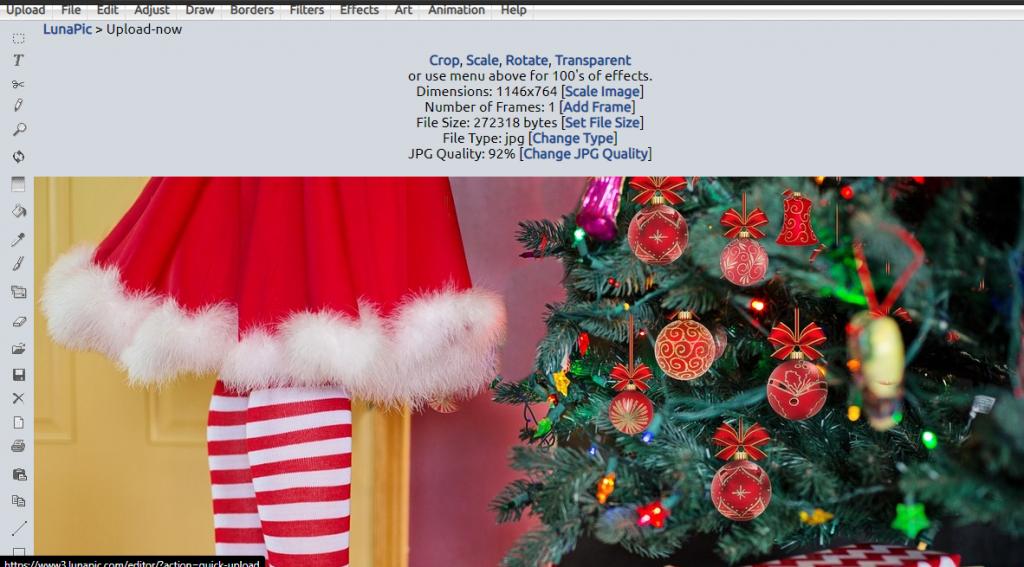
With LunaPic, you can edit your photos and make them look fantastic in minutes! It’s like a mini-digital art studio on your mobile device or computer – doodles, sketches, effects galore. Make collages. Create transparent backgrounds easily and upload to social media sites like Facebook, Tumblr, or your site with just one click.
This is all attractive because it makes photo editing easier than ever before for everyone. Even normal people are slowly turning into internet celebrities with their websites and blogs.
LunaPic is the easy, free and fantastic way to create stunning photos on your phone or laptop. Choose from over 40 different artistic effects like sketching, painting, and watercolors, then personalize it with text or custom design. Use Luna Pic’s transparent background tool so that your photo will look crisp on any website, social media platform, or email without leaving behind a white border!
18. iPiccy
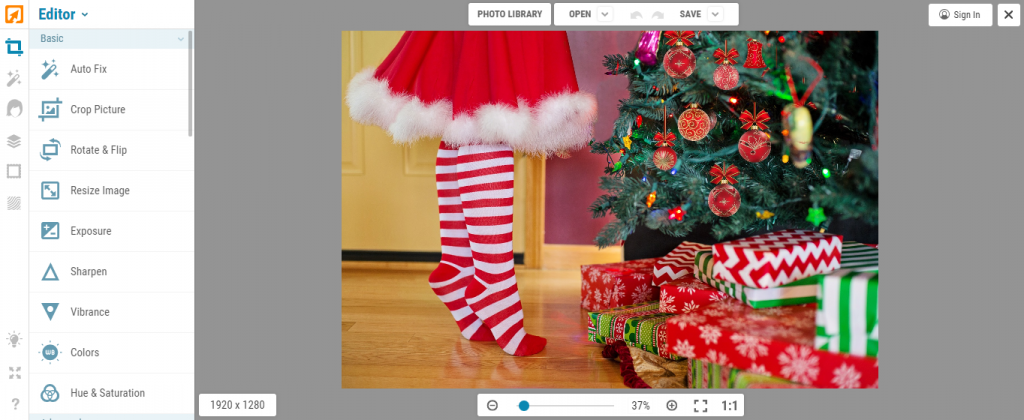
iPiccy is one of the fastest and easiest photo editing tools on the web. Upload your favorite pictures to iPiccy, then quickly edit them with our robust selection of tools, auto-adjust photos in one click, crop, rotate, and resize images. Stop wasting time going through bloated desktop apps that take forever to change a few photos.
It’s Picnic Time! With the new iPiccy photo editor, you no longer need to depend on friends with scary photoshop skills. You can create magical images with just a click of a button.
19. Luminar
Luminar should be on your mind if you’re looking for a new editing application like photoshop, as it’s set to make photo editing more accessible and fun than ever before. With Luminar, easy-to-use adjustments are ready with over 38 different one-click presets designed with Filmmakers, Photographers, and Social Media marketers in mind that help brings out subjects’ natural beauty.
With panoramic presets like the 360 Scene Maker, filmmakers can create seamless footage. If time is of essence or you need to post from your phone while traveling, use 3x faster performance and export without having to wait for hours, constantly reminding yourself, “I’ll deal with this later.” You don’t have to waste time worrying about export settings either!
Conclusion
The free Photoshop alternatives are the ones that create images and graphics with few clicks. They let you focus on creativity instead of being weighed down by technicalities, which is why we’ve listed 19 free programs for your consideration.
You can find a program to suit any budget or skill level from these choices, so don’t be afraid to experiment! Which one do you think would work best for your needs? If you’re not sure yet, bookmark this page and come back later when you’ve had time to research them all in more detail before making a decision. We’ll also keep adding new recommendations as they become available, so check back often if something specific interests you now but didn’t make our list today.
Frequently Asked Questions(FAQ): Best Free Photoshop Alternatives
Is GIMP a safe website?
Yes, GIMP is a free, open-source photo editing program. It offers an alternative to Photoshop for professional photographers and the average user who does not want to worry about viruses or purchase fees.
Is Photoshop worth buying?
Yes, Photoshop is worth buying because it’s a better option than all the affordable alternatives if you wish to use any of its tools.
Do beginner photographers need Photoshop?
No, you do not need Photoshop. Some people use it to help them with editing after they take their picture, but if it’s your first time doing this type of thing, you may want to start slowly (pun intended). Making a mistake when editing a photo can be like giving yourself the pink eye – it takes way more skill than just setting up the camera at first.

11 Best Golf Apps for Apple Watch

19 Best Free Video Editing Apps for Android

19 Best Free Photoshop Alternatives
-

 Tech5 years ago
How to Use Find My iPhone I The Easiest Way!
-

 Tech5 years ago
11 Best Battle Royale Games for Low End PC 2021
-

 Reviews5 years ago
Fastrack Reflex 3.0 Review 2024: Should You Buy?
-

 Python6 years ago
Python if Statements | Easy Explanation and Examples
-

 Tech5 years ago
15 Best Free Live Football Streaming Apps for Android & IOS
-

 Tech5 years ago
11 Best Free Scanner Apps for iPhone
-

 More6 years ago
Top 7 Reasons to Learn Java in 2024
-

 Tech5 years ago
Users Can Operate One WhatsApp Account on Various Devices, Multi-Device Feature Will Be Coming Shortly!